Students can access their ForumIAS Roll Number by following the structured process outlined below:
Step 1: Visit the Official Portal
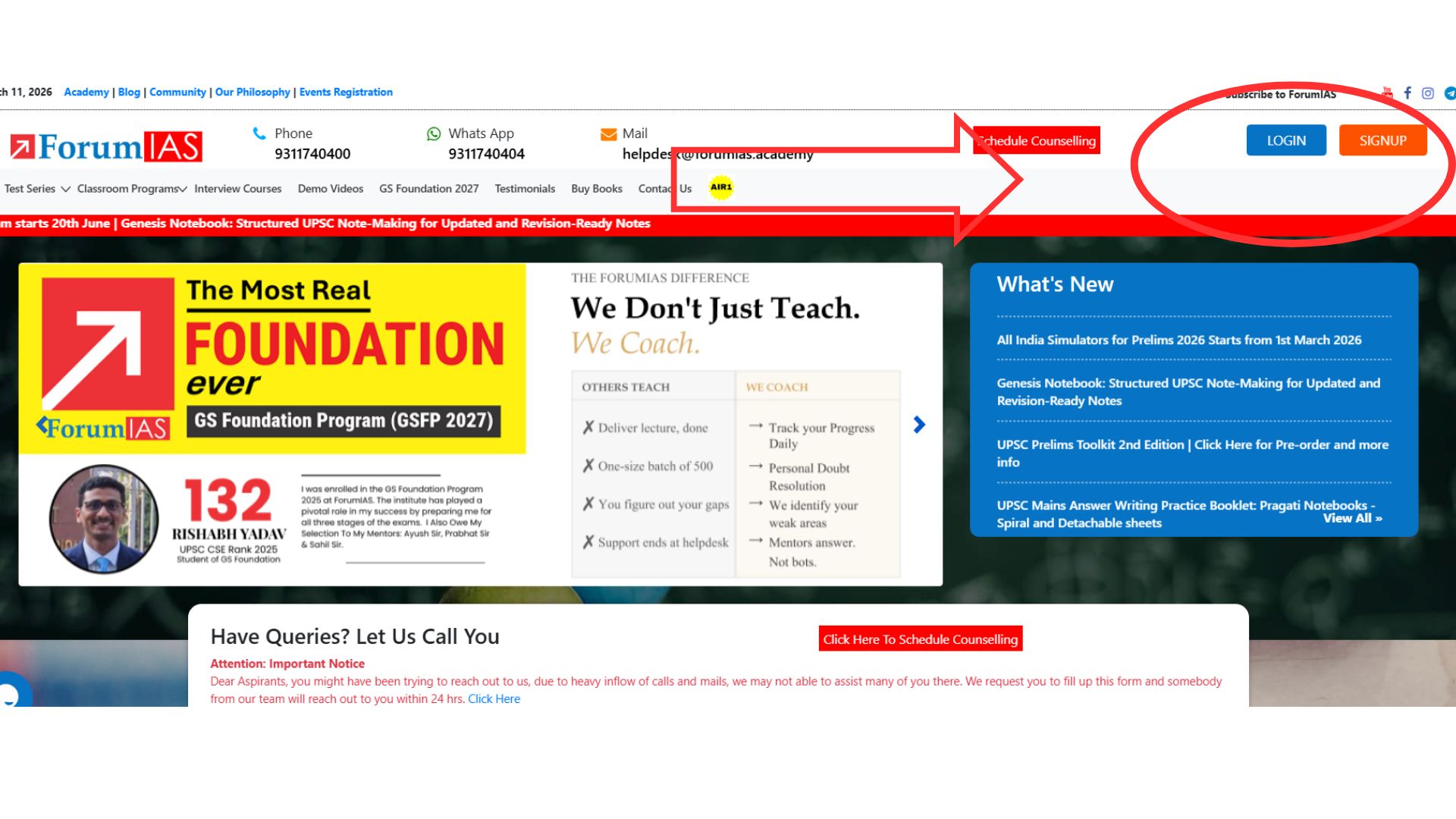
Step 2: Log in to Your Account
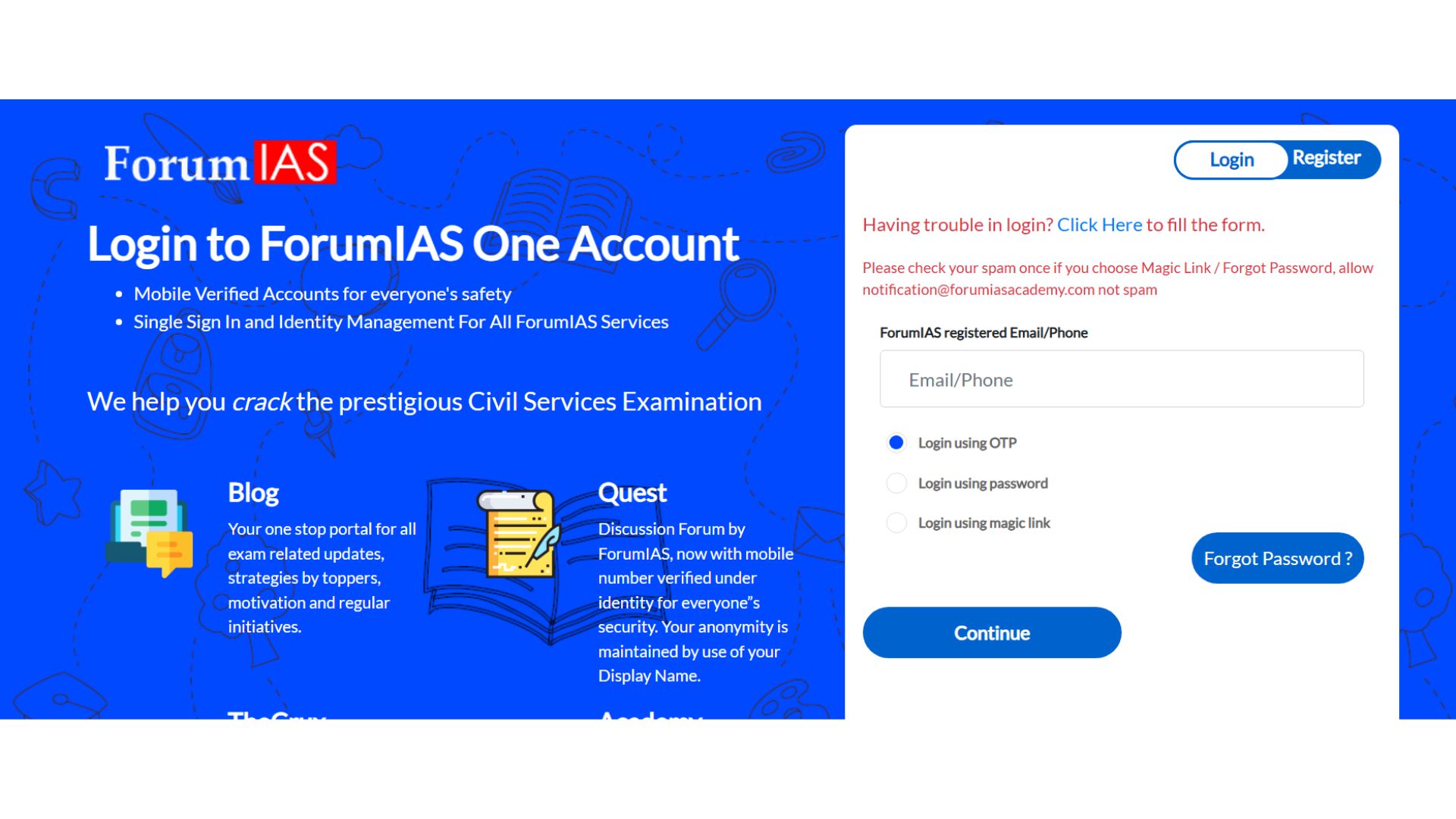
Sign in using your registered Email ID or Mobile Number.
You may choose any available login method (OTP / Password / Magic Link) as per your preference.
Step 3: Click on “Take Me to Academy”
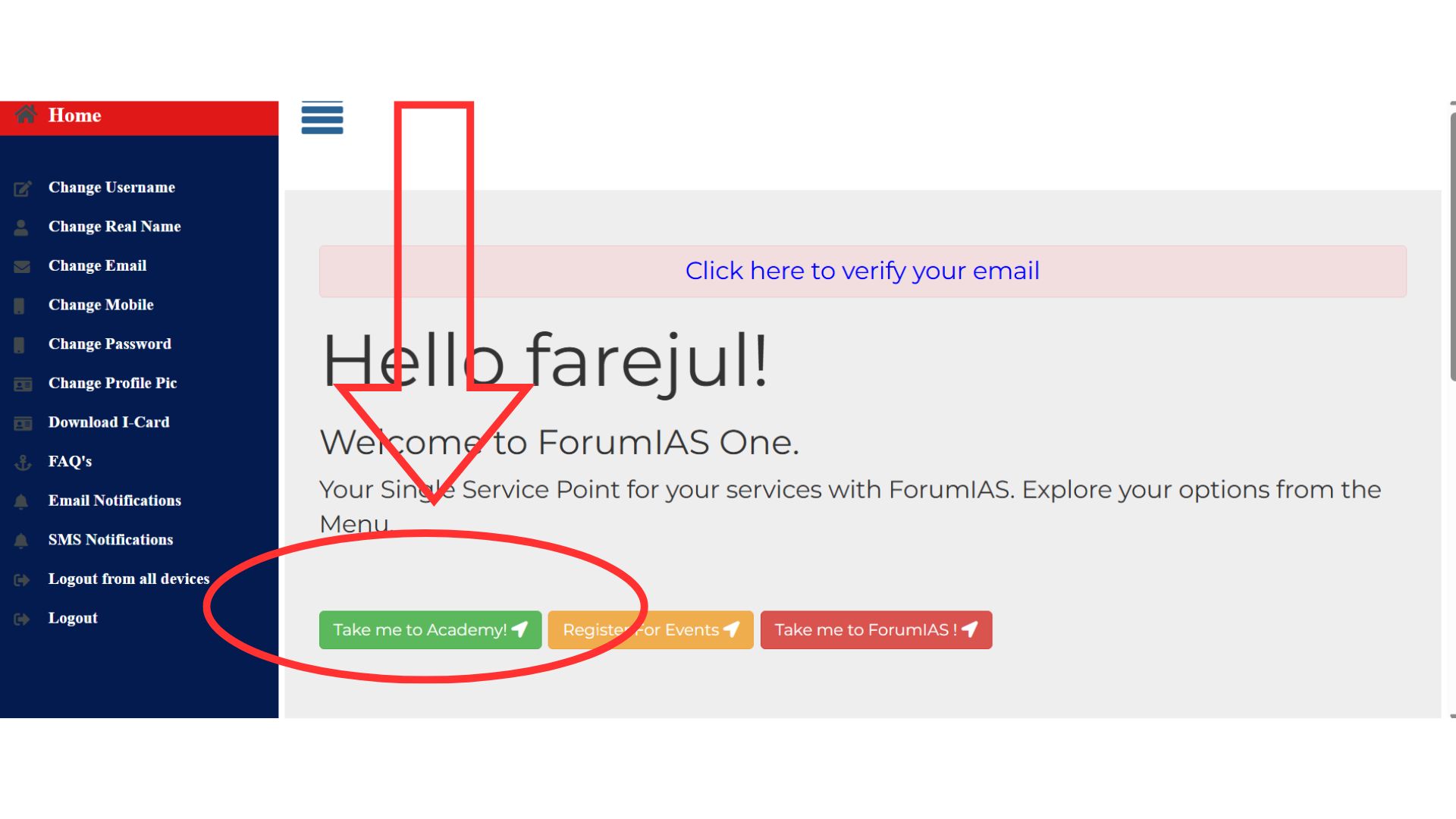
After logging in, you will be redirected to the dashboard.
Click on “Take Me to Academy” to proceed to the course interface.
Step 4: Go to “My Courses”
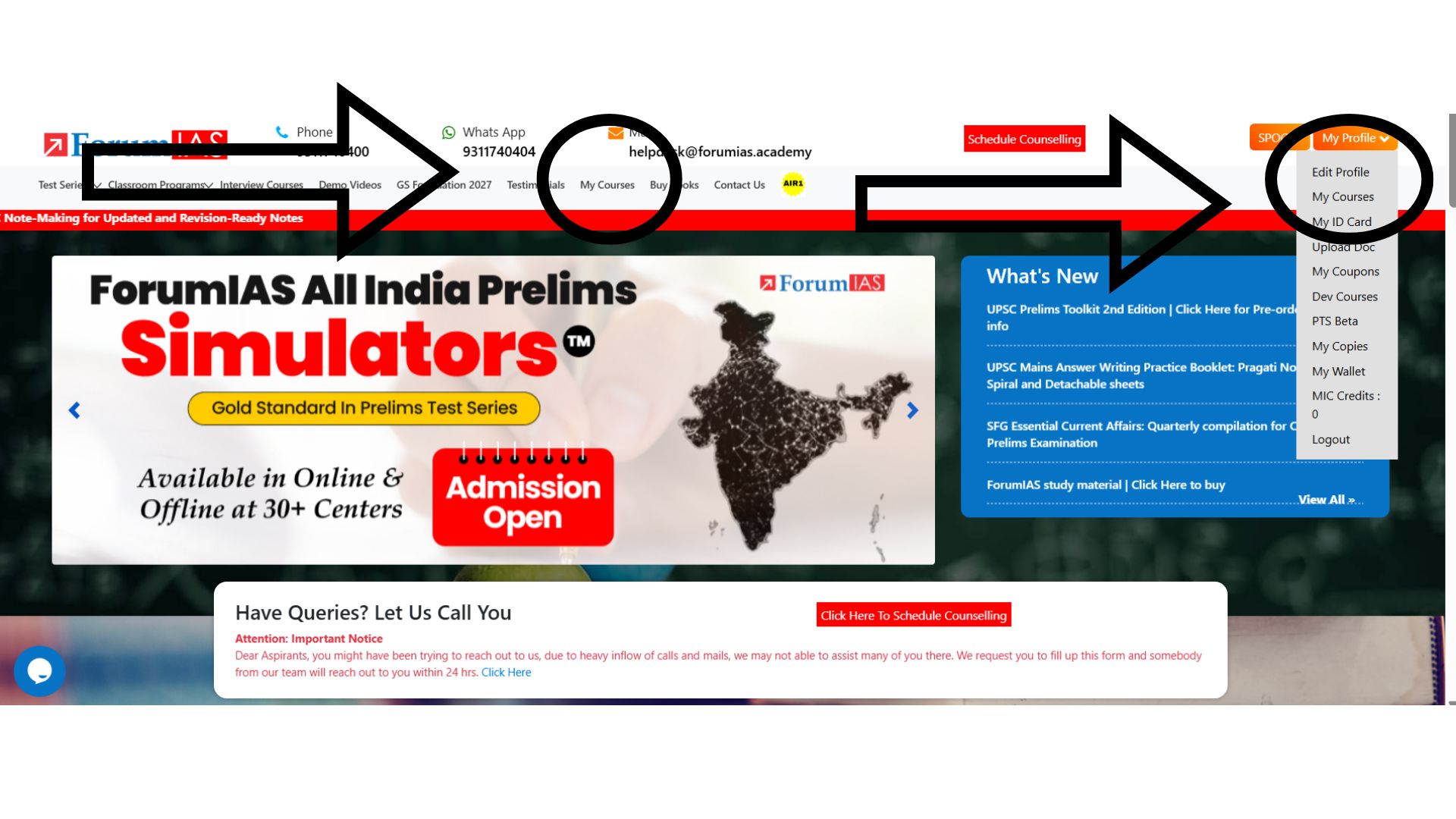
After entering the academy homepage: Navigate to the “My Courses” tab. This section lists all the programs you are enrolled in. You can access My Courses through the available navigation options on the dashboard.
Step 5: Navigate to ‘ForumIAS Roll No’
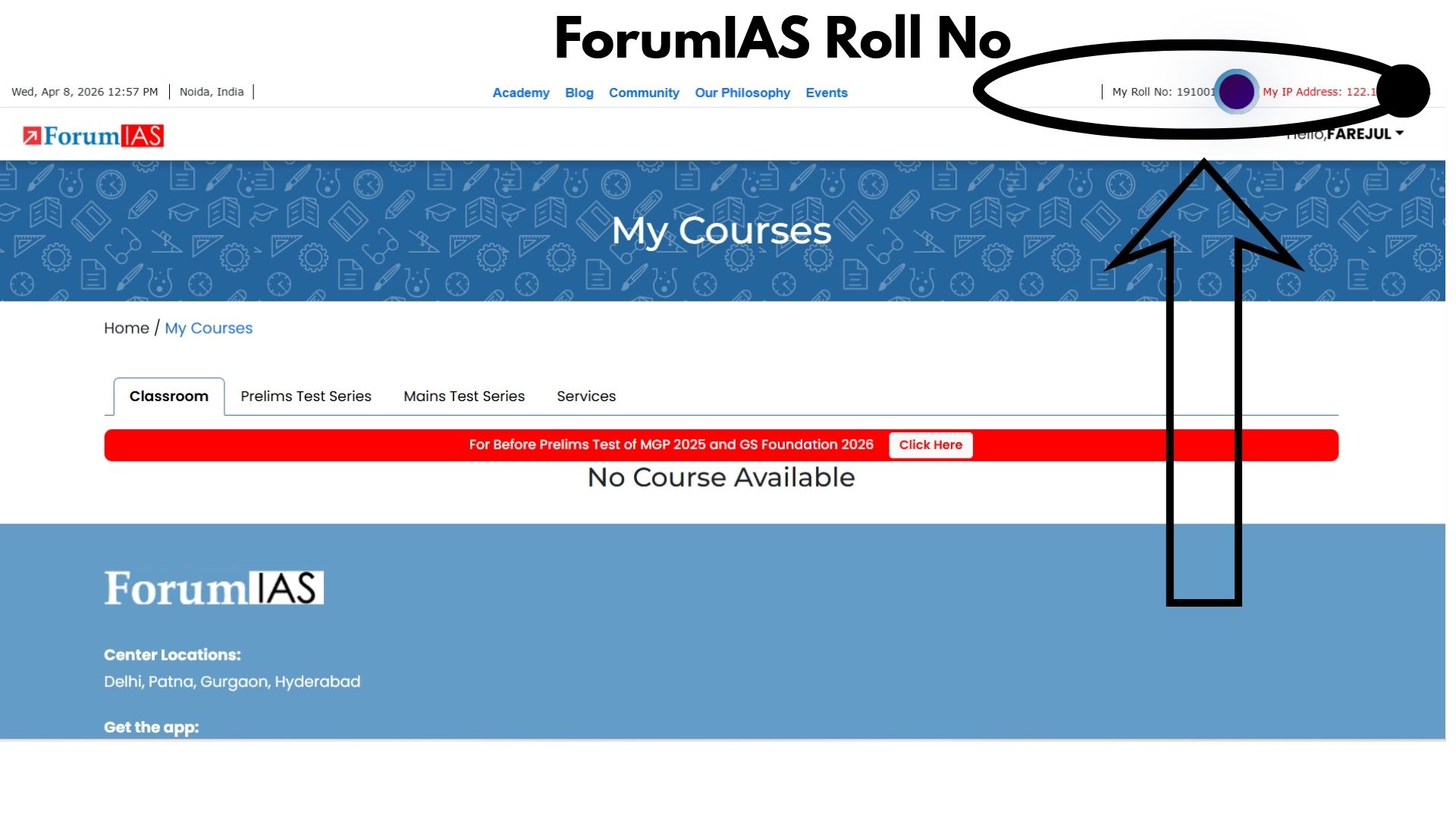
Click on “My Courses”.
Your ForumIAS Roll Number will be displayed prominently in the top section of the page.