Connecting with mentors through the ForumIAS Mentorship Portal is a simple and structured process designed to provide personalized guidance to aspirants. Follow the steps below to schedule your mentorship interaction effectively:
Step 1: Visit the Mentorship Portal
Go to the official mentorship portal:
👉 https://mentorship.forumias.com/
Log in using your registered ForumIAS credentials.
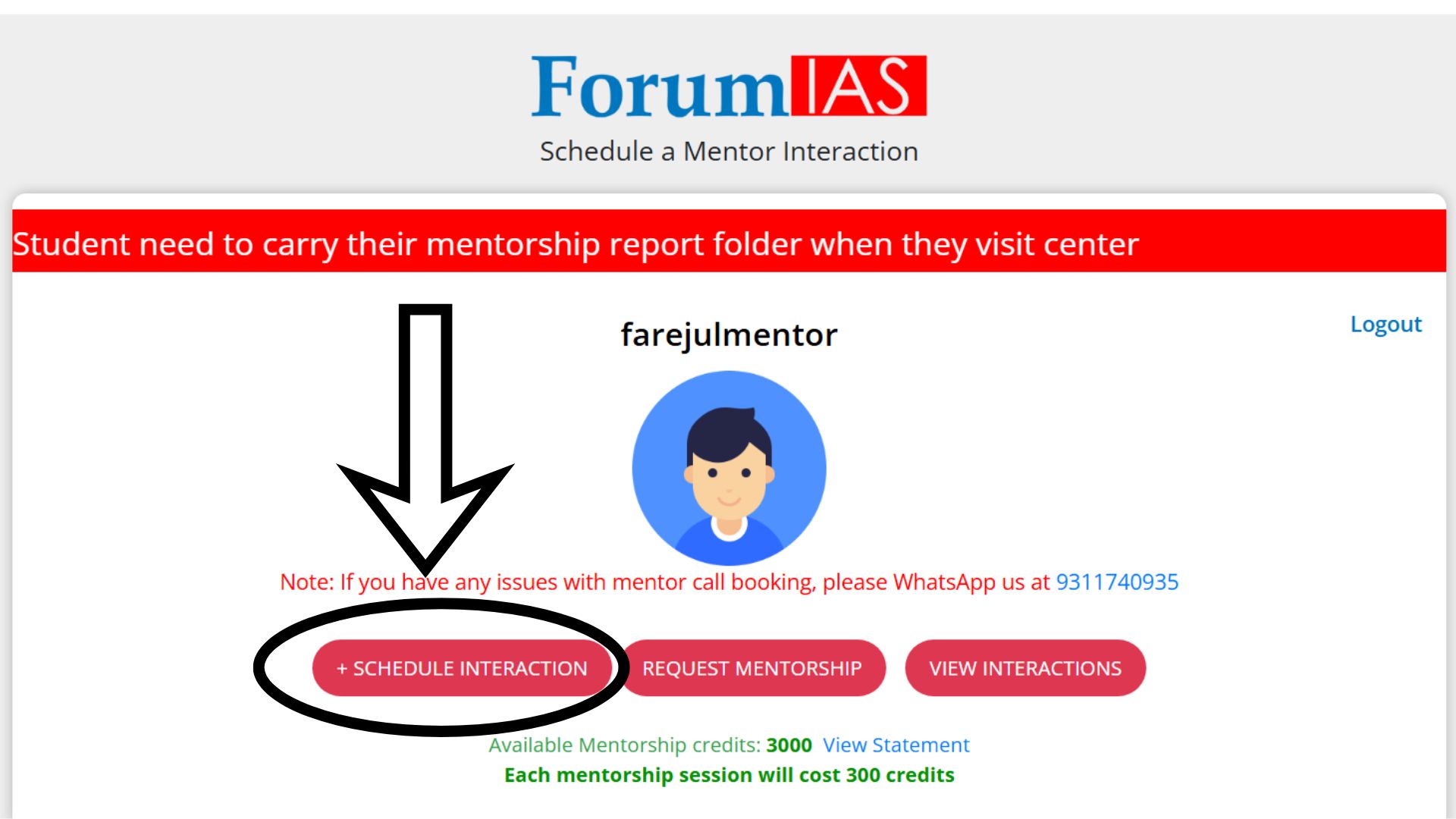
Step 2: Click on “Schedule Interaction”
After logging in, you will land on the dashboard.
Click on the “+ Schedule Interaction” button to begin the process.
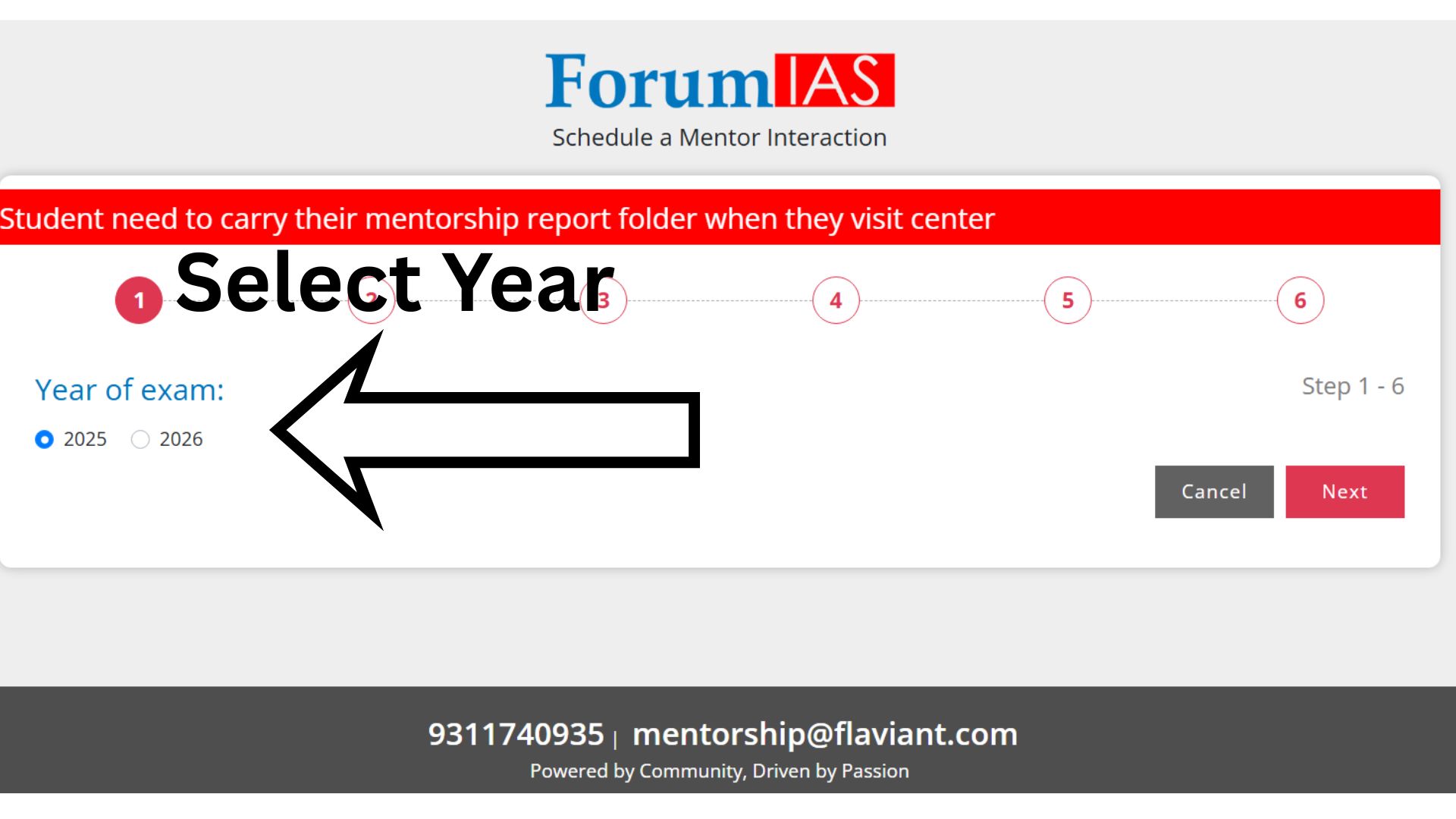
Step 3: Select the Exam Year
Choose your target examination year (e.g., 2025 or 2026) based on your preparation timeline.
Click “Next” to proceed.
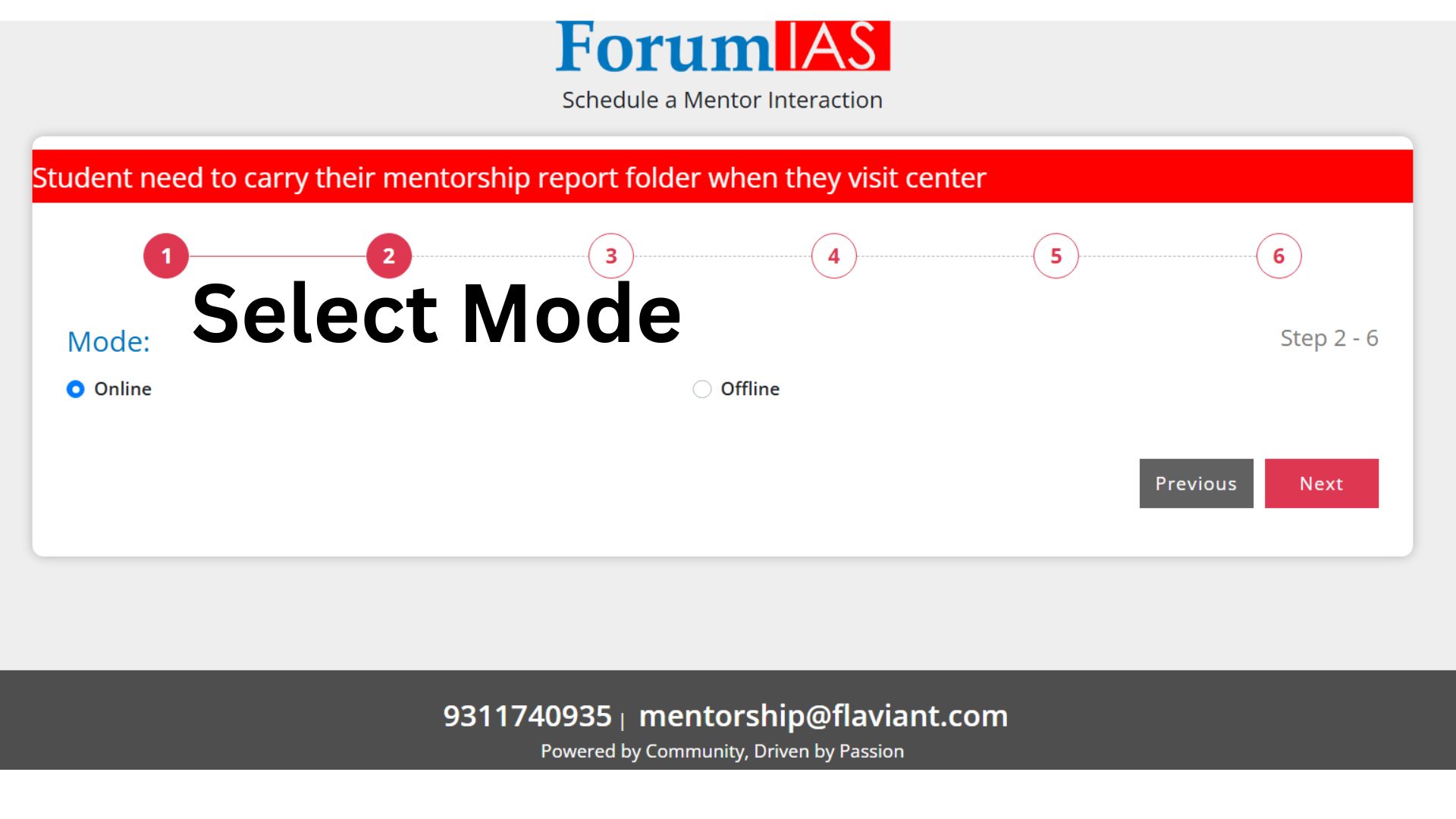
Step 4: Select Mode of Interaction
Choose your preferred mode:
- Online (via call/virtual interaction)
- Offline (visit the center)
Then click “Next”.
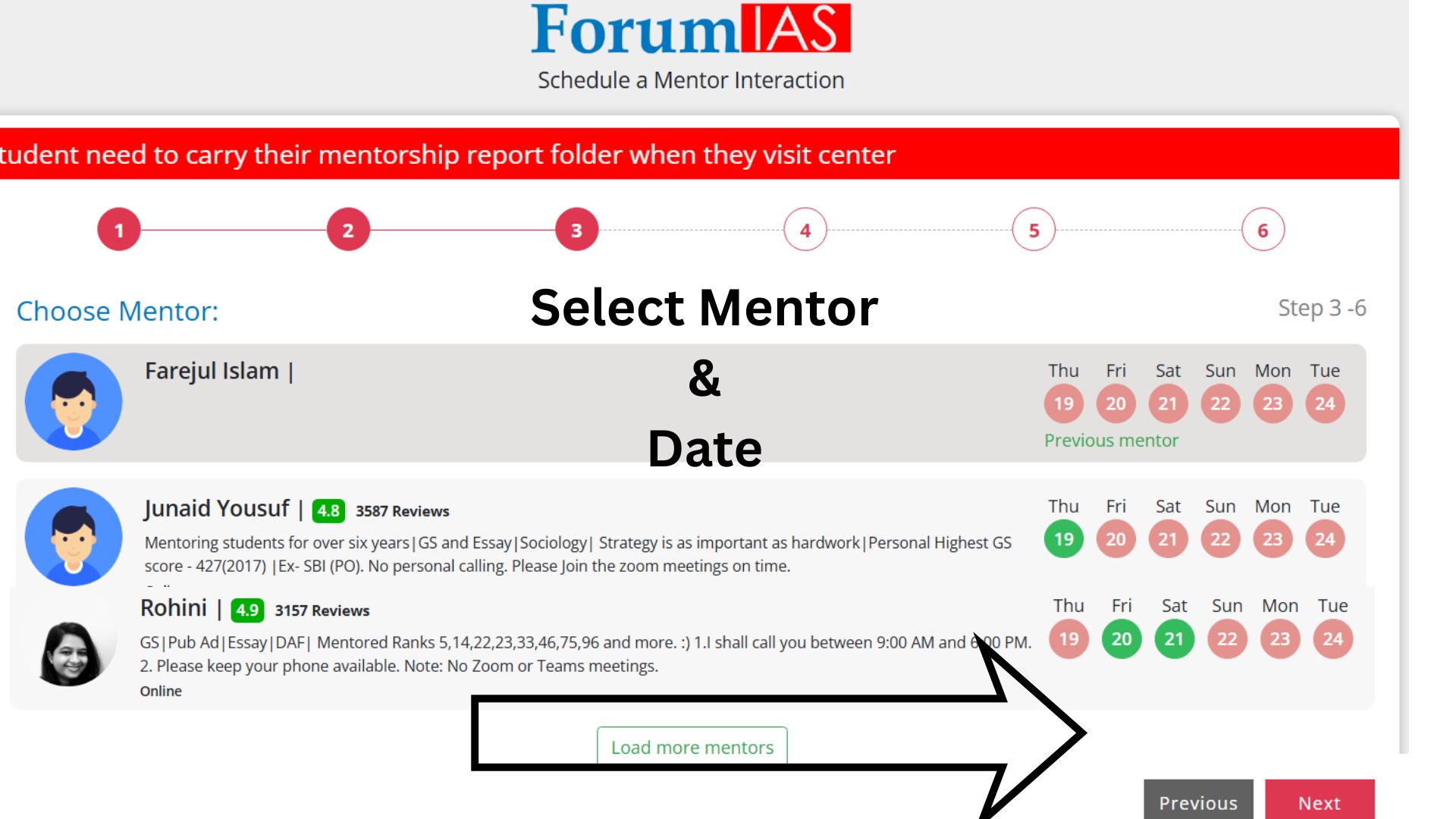
Step 5: Select Mentor & Date
Browse through the list of available mentors along with their expertise, ratings, and available dates.
- Choose your preferred mentor
- Select a suitable date based on availability
Click “Next” to continue.
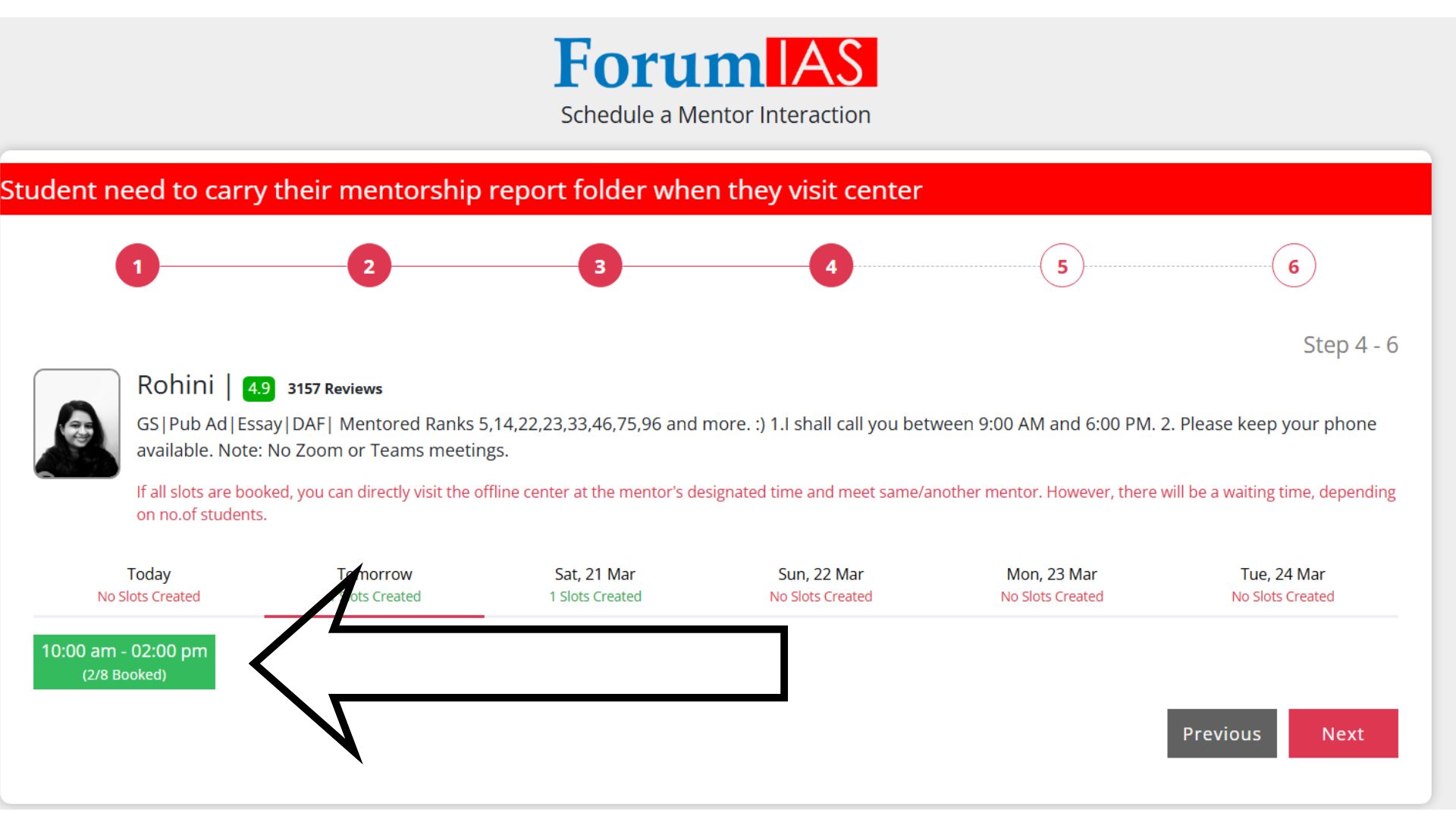
Step 6: Select Time Slot
Pick an available time slot for your session.
Slots are displayed with booking status (e.g., partially booked or available).
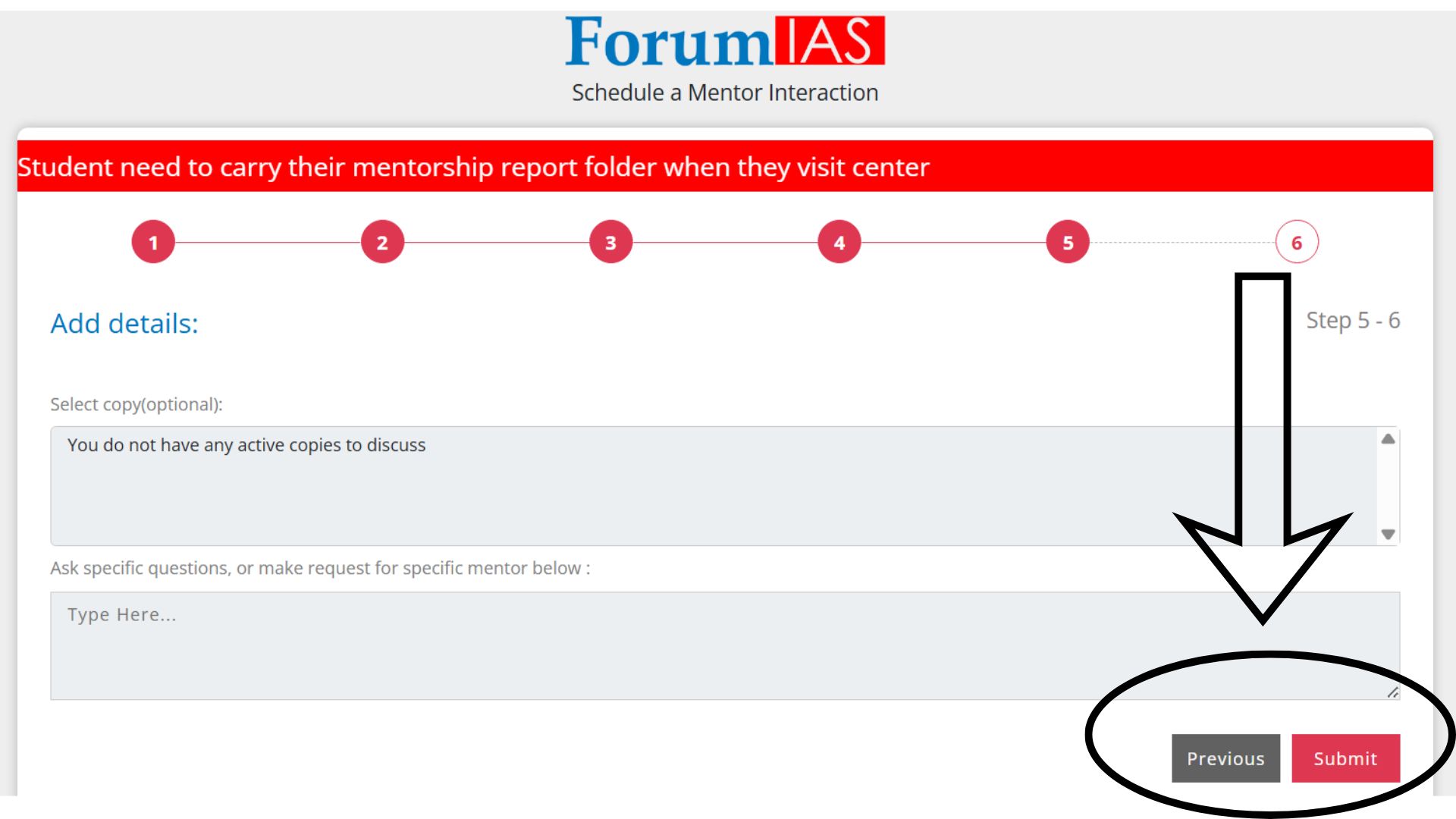
Step 7: Describe Your Query & Submit
Provide a brief description of your query or the areas where you need guidance.
Finally, click “Submit” to confirm your mentorship session.
Important Note
- Carry your mentorship report folder when visiting the center for offline sessions.
- In case of any issues with booking, you can contact support via WhatsApp at 9311740935.
This structured process ensures that you can seamlessly connect with experienced mentors and receive targeted guidance for your UPSC preparation.