If you are facing any issues related to the paid services of ForumIAS Academy, the support ticketing system is the most effective way to get assistance.
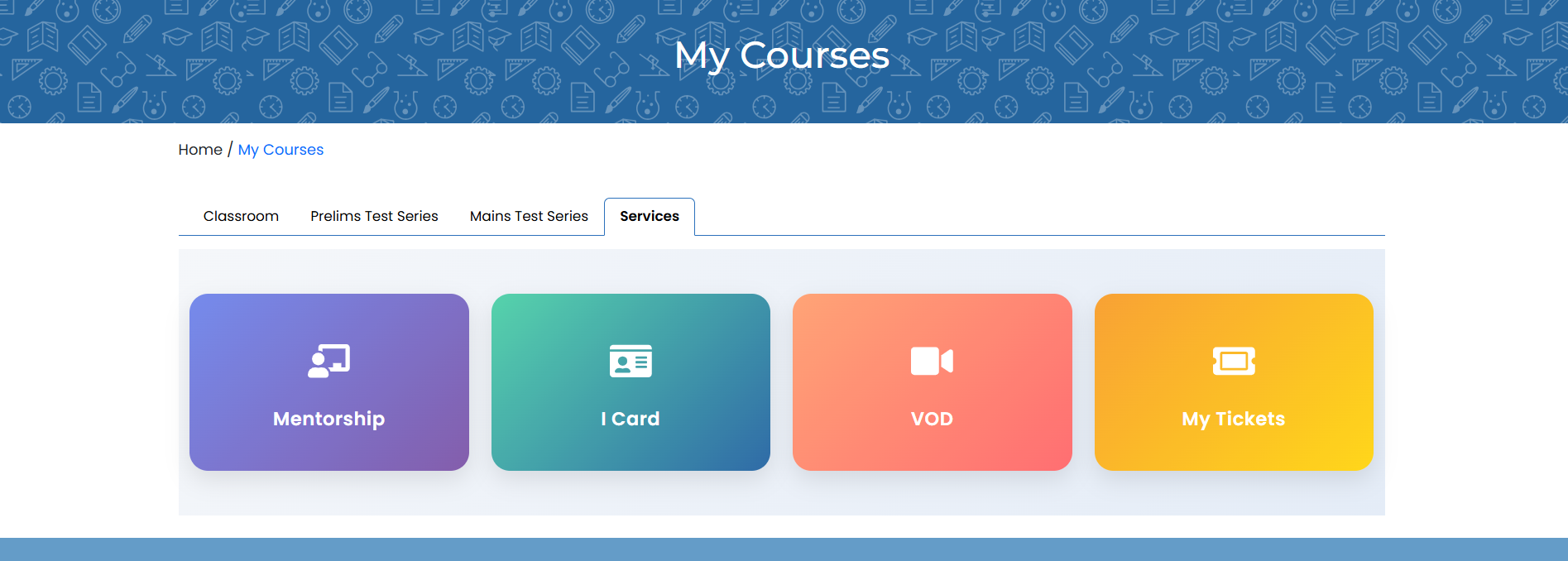
To begin, visit academy.forumias.com and log in using your ForumIAS Academy or ForumIAS One Account credentials. Once logged in, navigate to My Courses → Services → My Tickets from the menu, or directly access the ticketing page at academy.forumias.com/tickets.
On the ticketing page, you can create a new ticket by selecting the relevant department, providing a clear title, and writing a detailed description of the issue you are experiencing. You will also be asked to indicate the severity of the issue and specify whether you are an online or offline student.
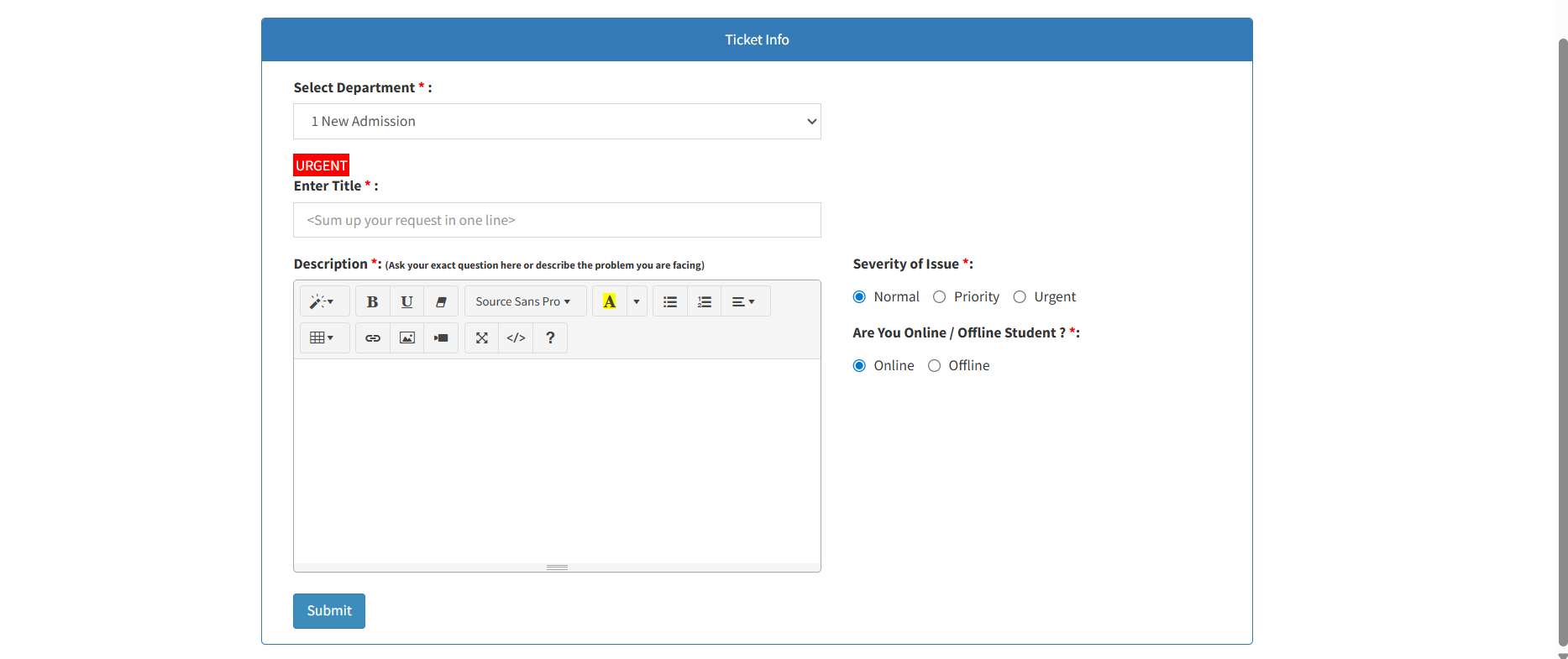
Submitting the form will generate a ticket, and you will receive an email confirmation containing a unique Ticket ID. This Ticket ID should be quoted in all future correspondence to ensure smooth communication and quicker resolution.
If your concern is not addressed through the ticketing system, you may escalate the matter by writing to helpdesk@forumias.academy, mentioning your Ticket ID for reference. This ensures that the support team can track your case efficiently and provide timely assistance.