Dear Students,
If you have completed your FRC Entrance Test Registration, now you need to submit your entrance test QCA to FRC Team for evaluation.
Below are the steps to upload your FRC Entrance Test QCA:
Step 1: Sign in to Your ForumIAS Account
Visit academy.forumias.com, sign in using your registered credentials. For assistance on login your account you may see this article (How to Log In to Your ForumIAS Account).
Step 2: Click on “Take Me to Academy”
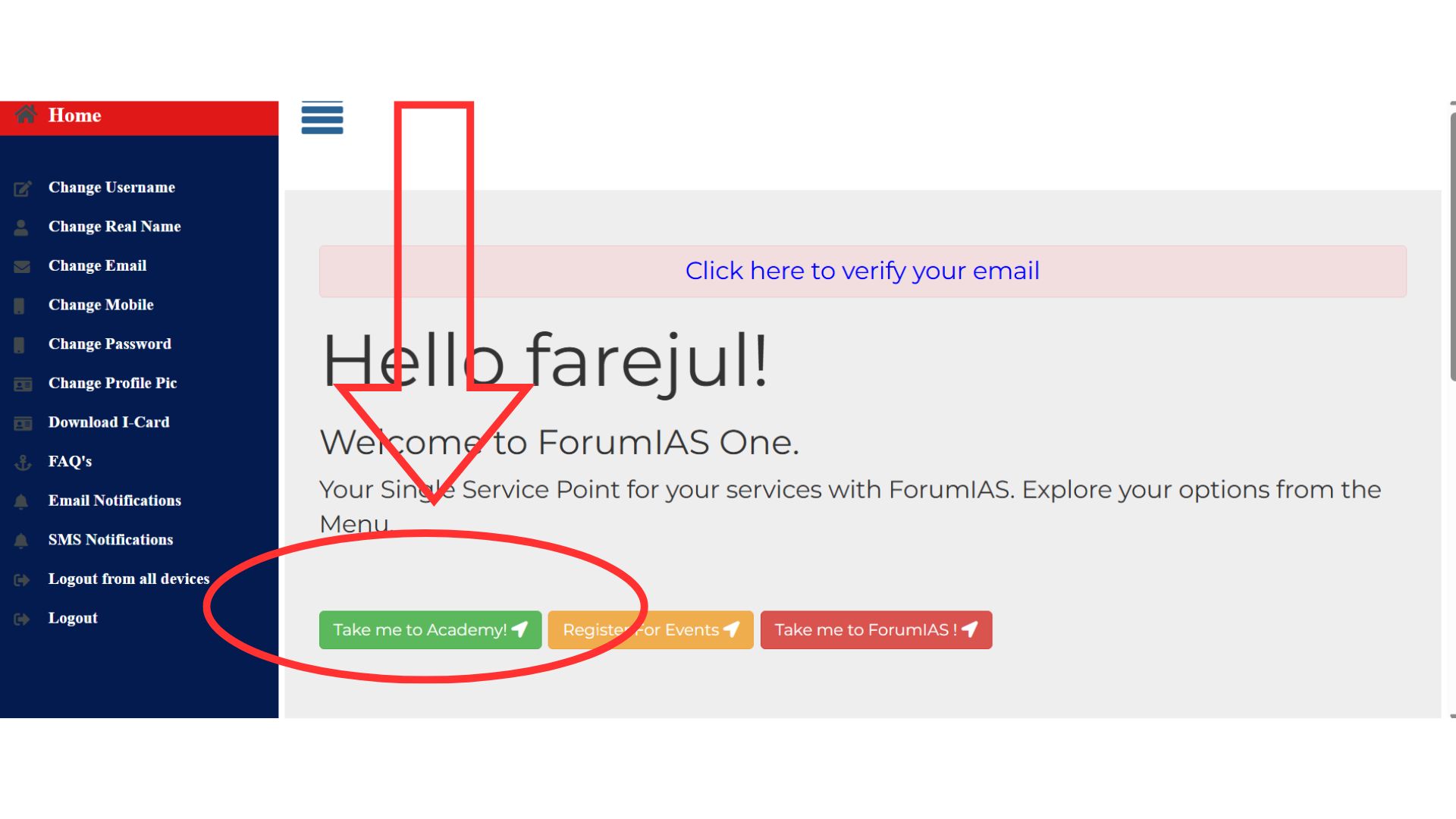
Step 3: Go to “My Services”
After logging in to the ForumIAS Academy homepage. Click on “My Profile” (icon is on top right side)
Navigate to the “My Services” tab.
You can access My Services through the available navigation options on the dashboard.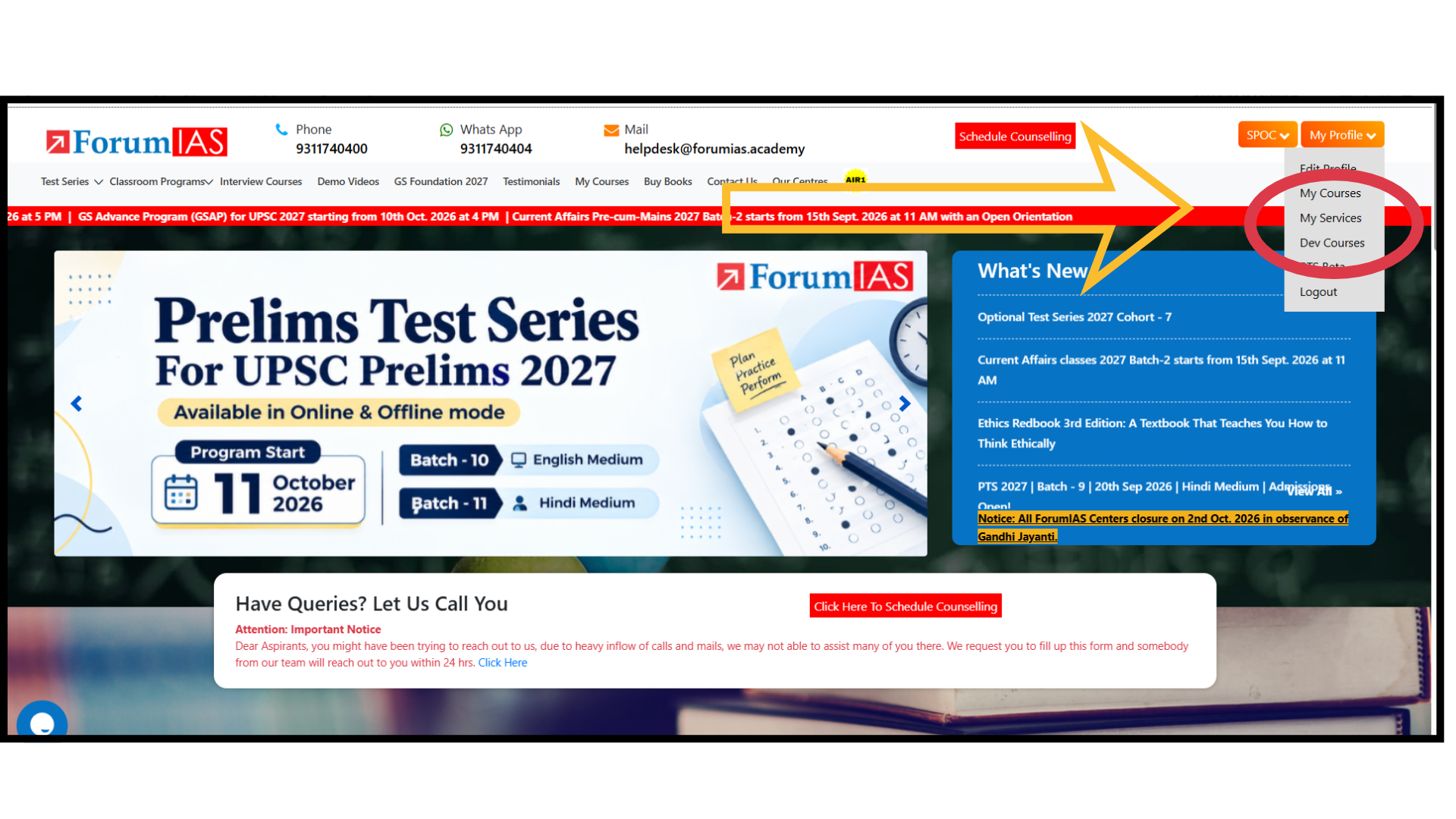
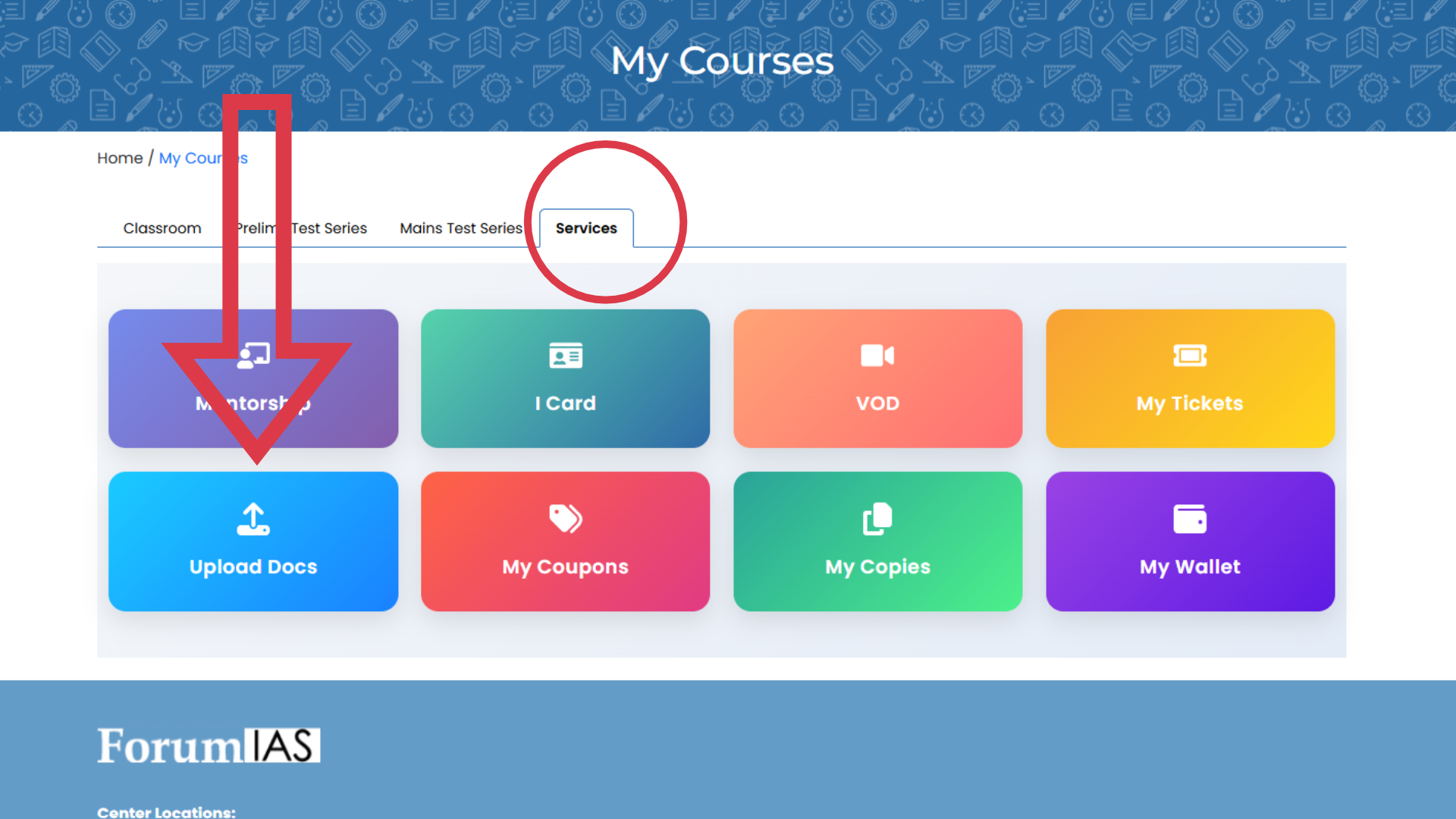
Step 4: Open the Upload Document Page
After clicking on “My Services,” you will be redirected to below page.
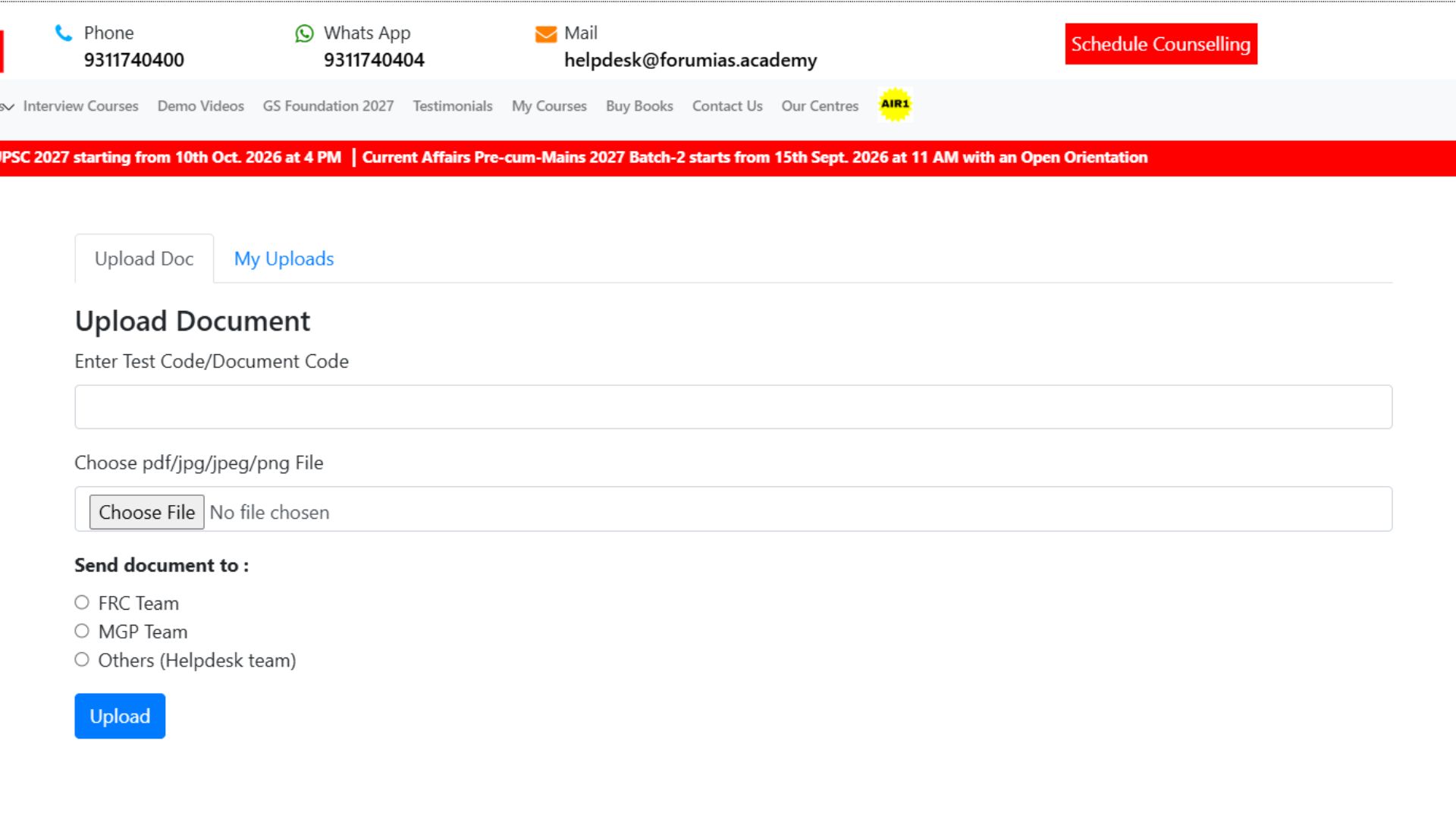
Step 5: Upload the Required Document
Upload your completed FRC Entrance Test QCA Booklet in the required format.
Step 6: Check Your Uploaded Documents
After successful uploading, the document will be visible under the “My Uploaded Docs” section of your account.
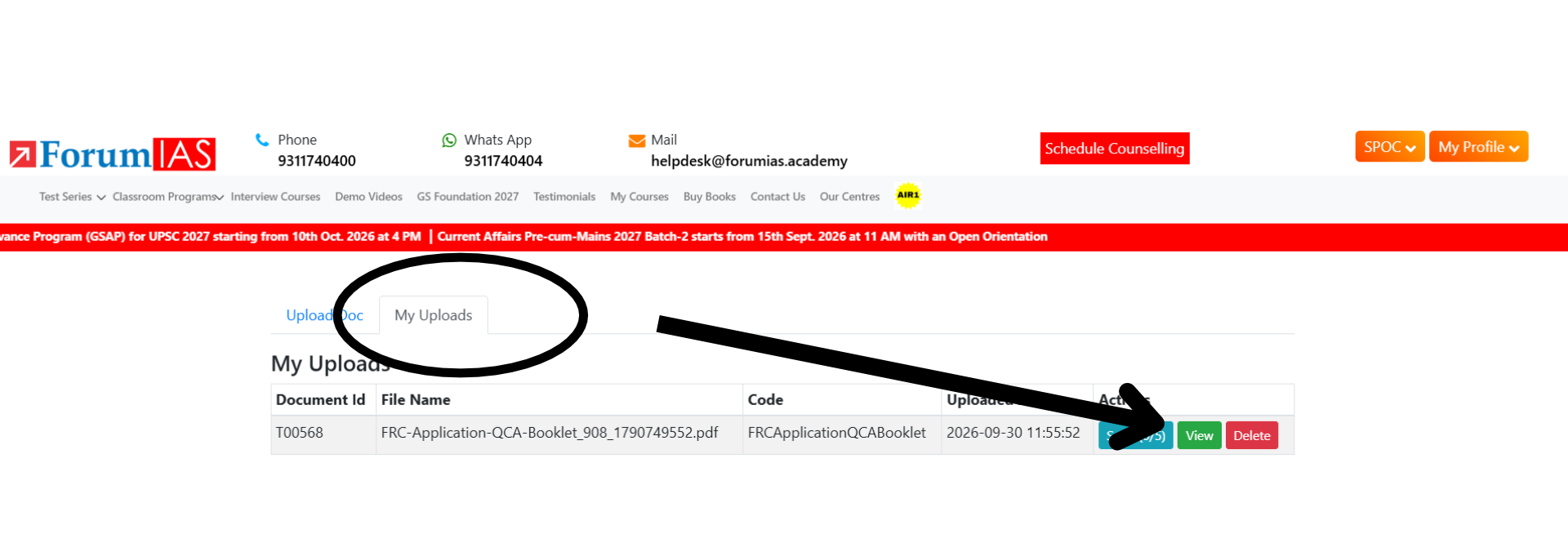
Once we receive your document, our team will review it. You will be informed about your admission status via email.
Important Note
Please do not send the document directly to the admissions email address without first uploading it through your ForumIAS account.
If you share the document directly via email, you may be required to upload it again through your account before your application can be processed.
For a smooth and timely admission process, please ensure that you follow all the steps mentioned above.