Dear Students,
The Prelims Test Series (PTS) is designed to simulate the real UPSC Prelims exam environment and help aspirants track their preparation effectively. This guide explains the complete step-by-step process to access and attempt the test through the ForumIAS Academy portal.
Step 1: Visit the ForumIAS Academy Website
Go to the official ForumIAS Academy website:
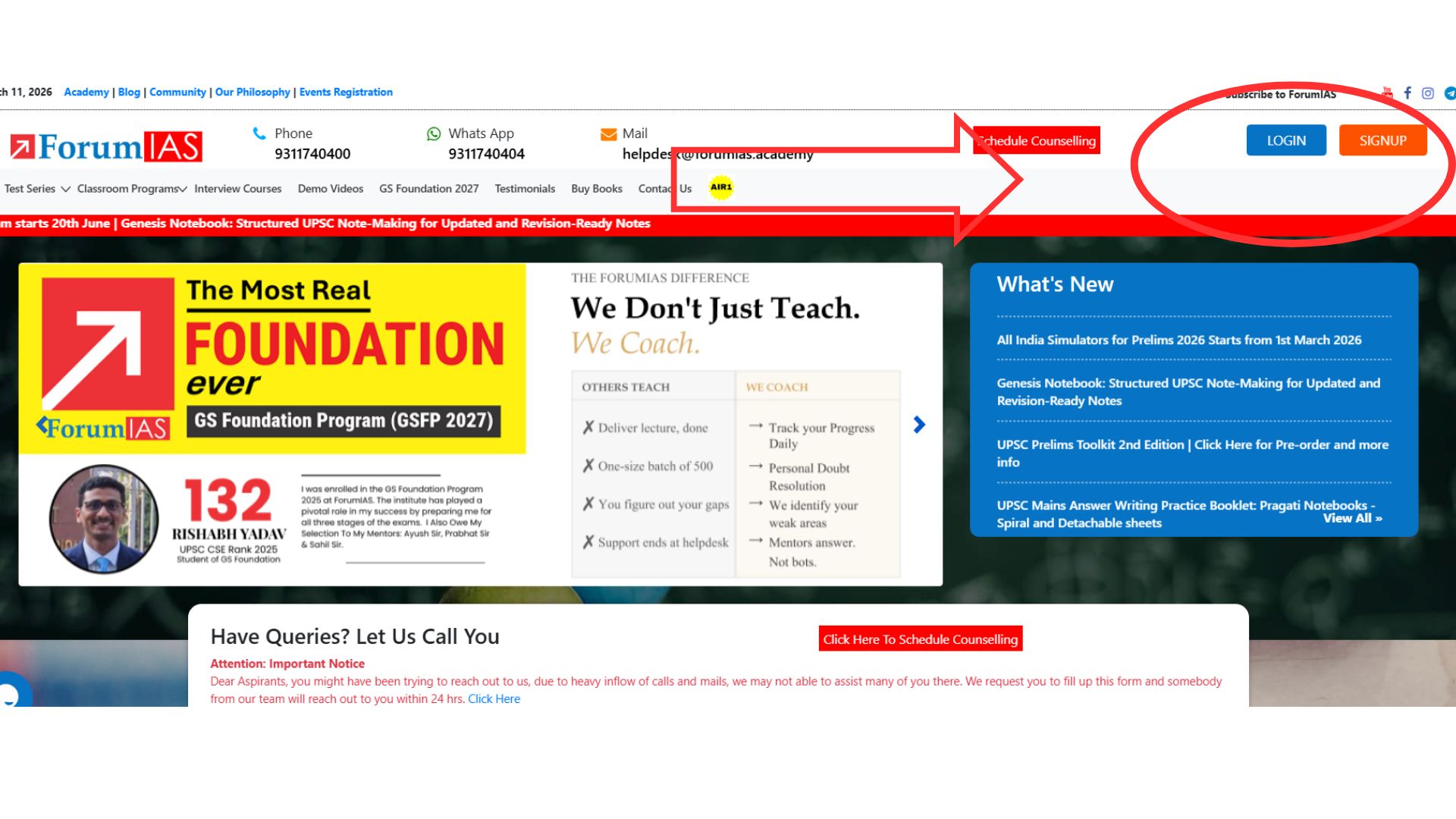
This is the platform where you can access your enrolled courses, tests, performance analysis, and discussion videos.
Step 2: Click on the Login Button
On the top-right corner of the webpage, click on the Login button to access your account.
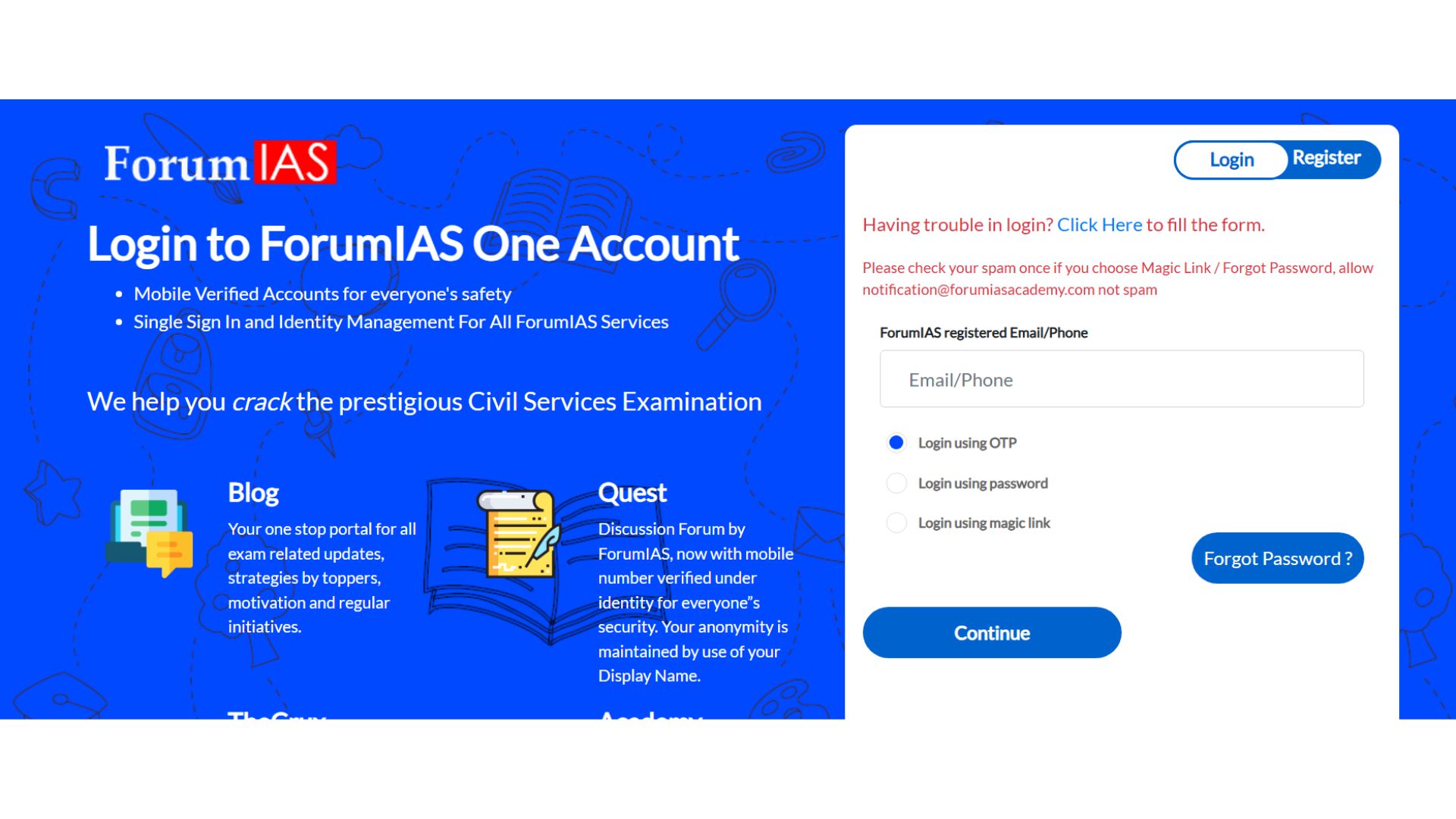
Step 3: Login to Your Account
Enter your valid credentials to log in to the ForumIAS Academy portal.
You can log in using any of the following methods:
- Enter your password
- Generate OTP and enter it
- Use the Magic Link sent to your email
Once the credentials are verified, you will successfully log in to your account.
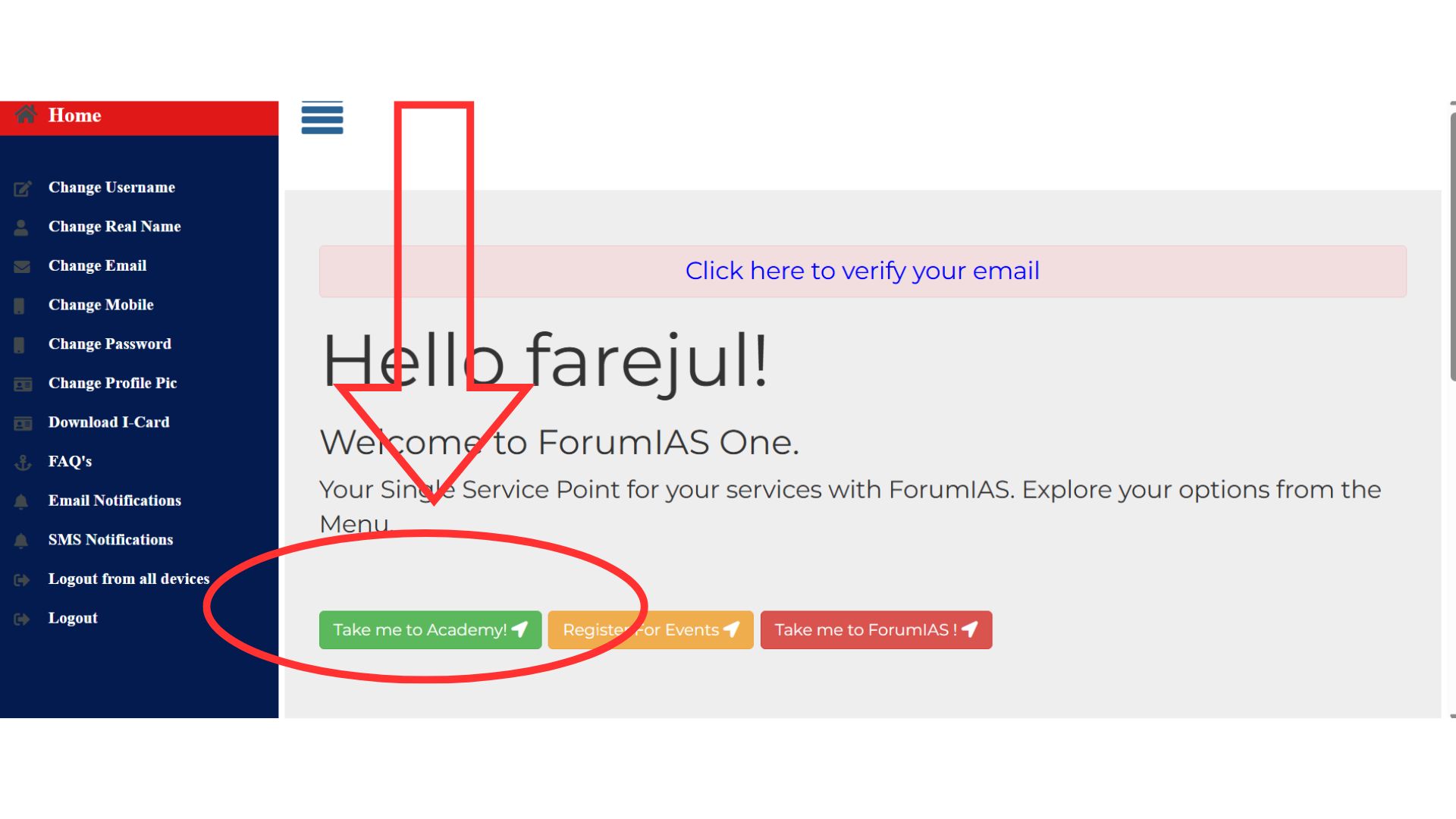
Step 4: Click on “Take Me to Academy”
After logging in, you will be redirected to the dashboard.
Click on “Take Me to Academy” to proceed to the course interface.
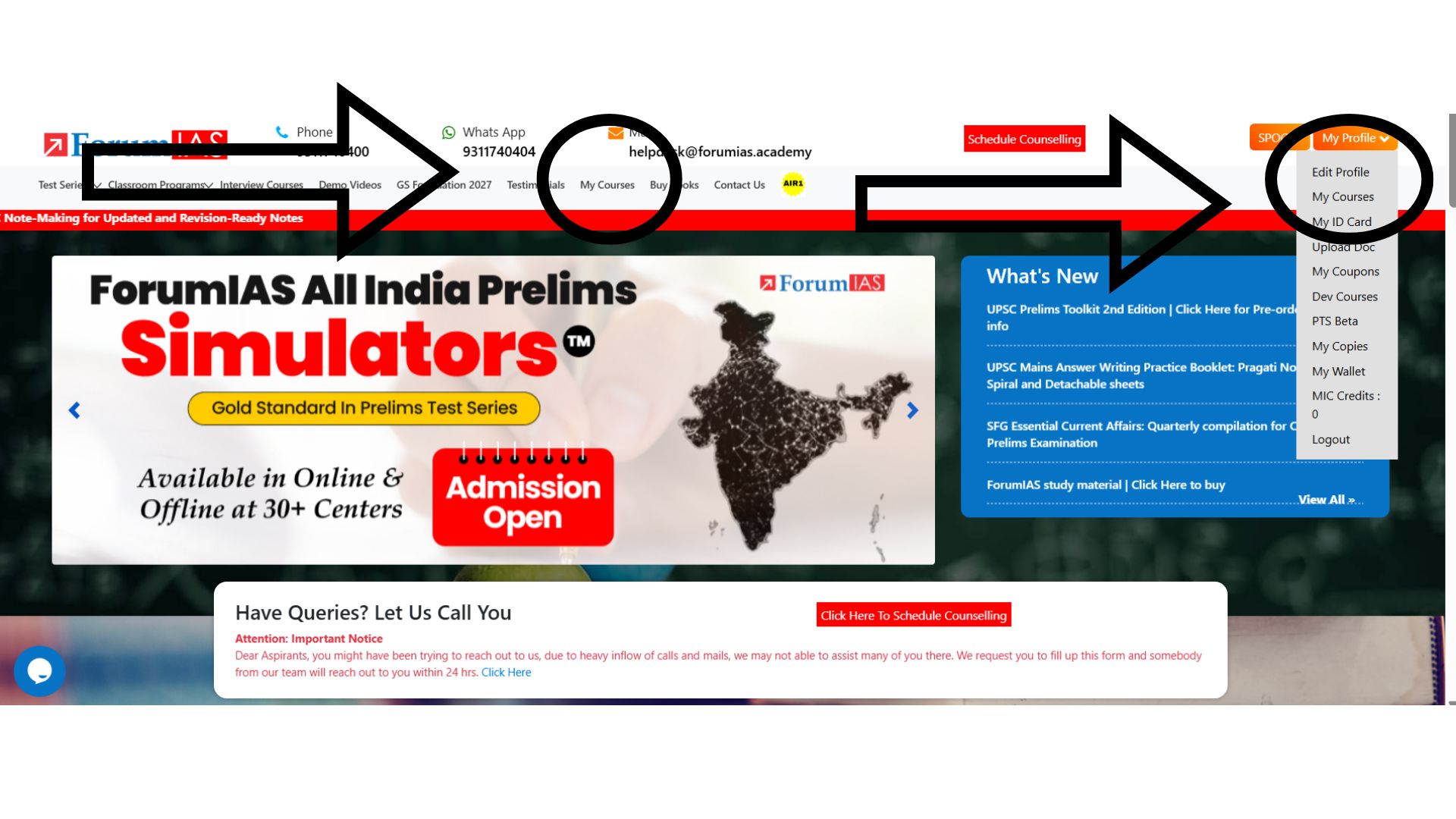
Step 5: Go to “My Courses”
After entering the academy homepage:
- Navigate to the “My Courses” tab.
- This section lists all the programs you are enrolled in.
You can access My Courses through the available navigation options on the dashboard.
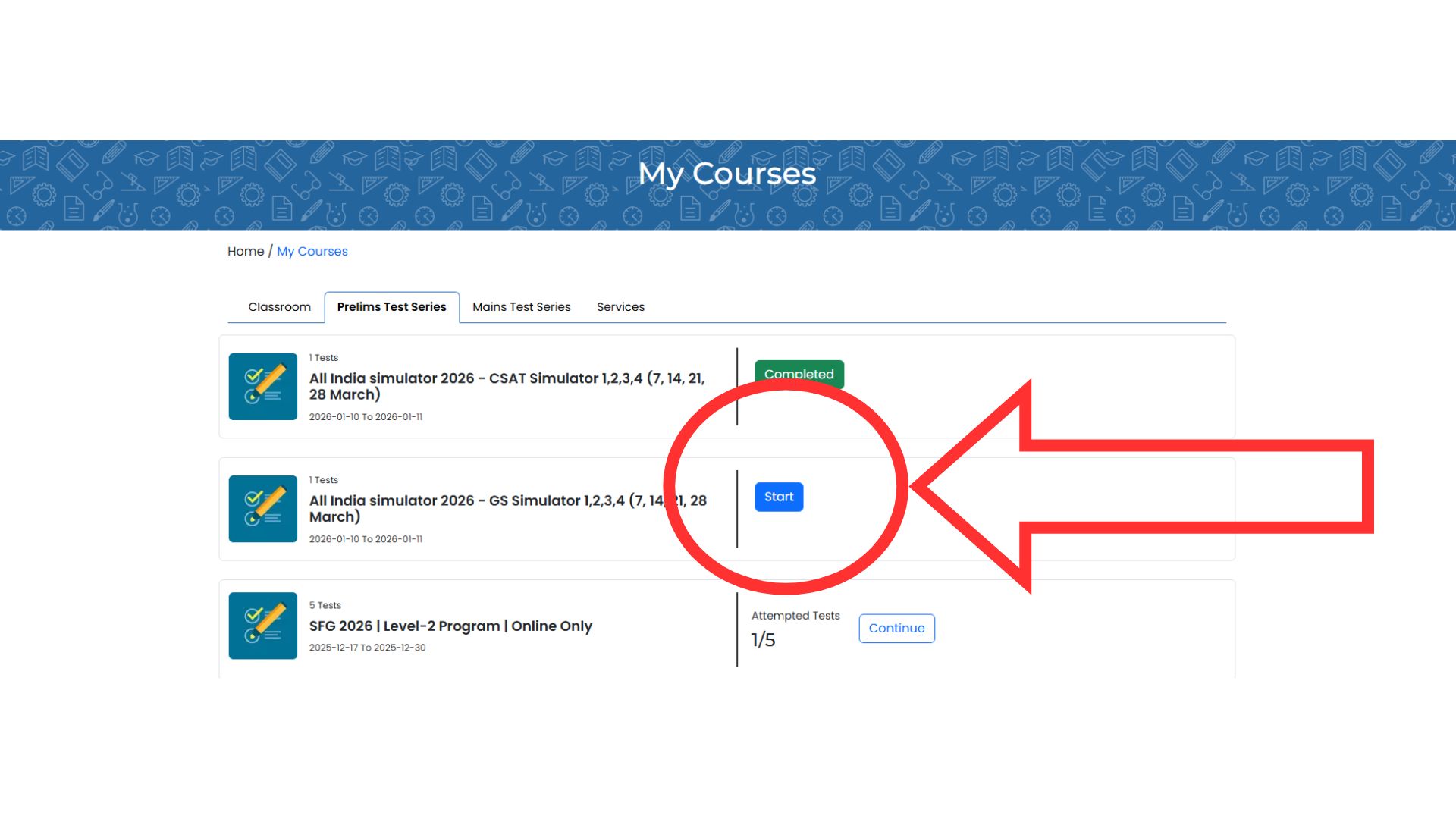
Step 6: Start the Prelims Test Series
Inside My Courses, locate:
“Prelims Test Series 2026”
Click on the “START” button against the test series.
Step 7: Check Test Availability
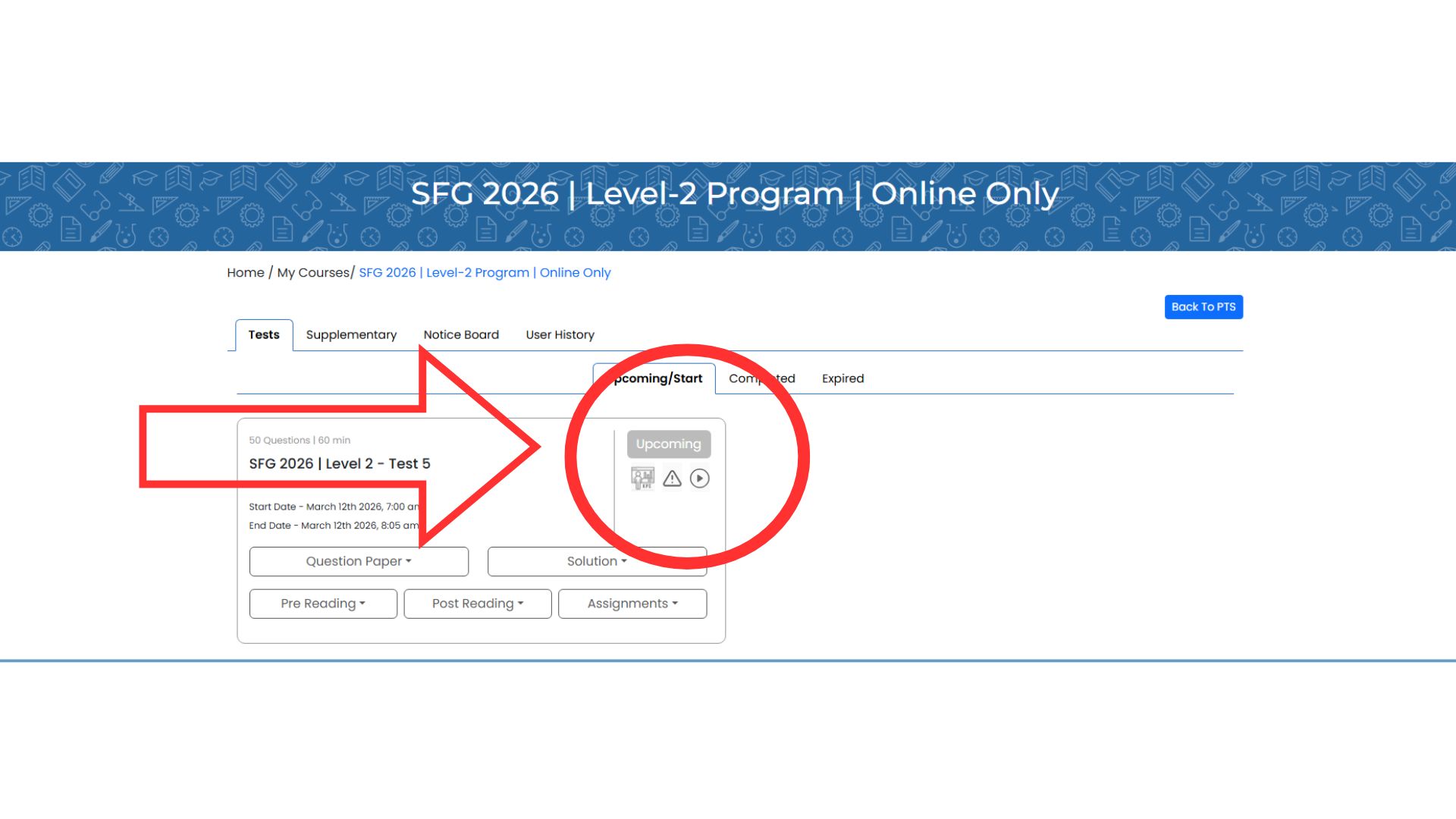
You may see a grey box labeled “UPCOMING” if the test has not yet started.
This means:
- The test is scheduled
- It will activate on the scheduled date
Step 8: Start the Test on the Scheduled Date
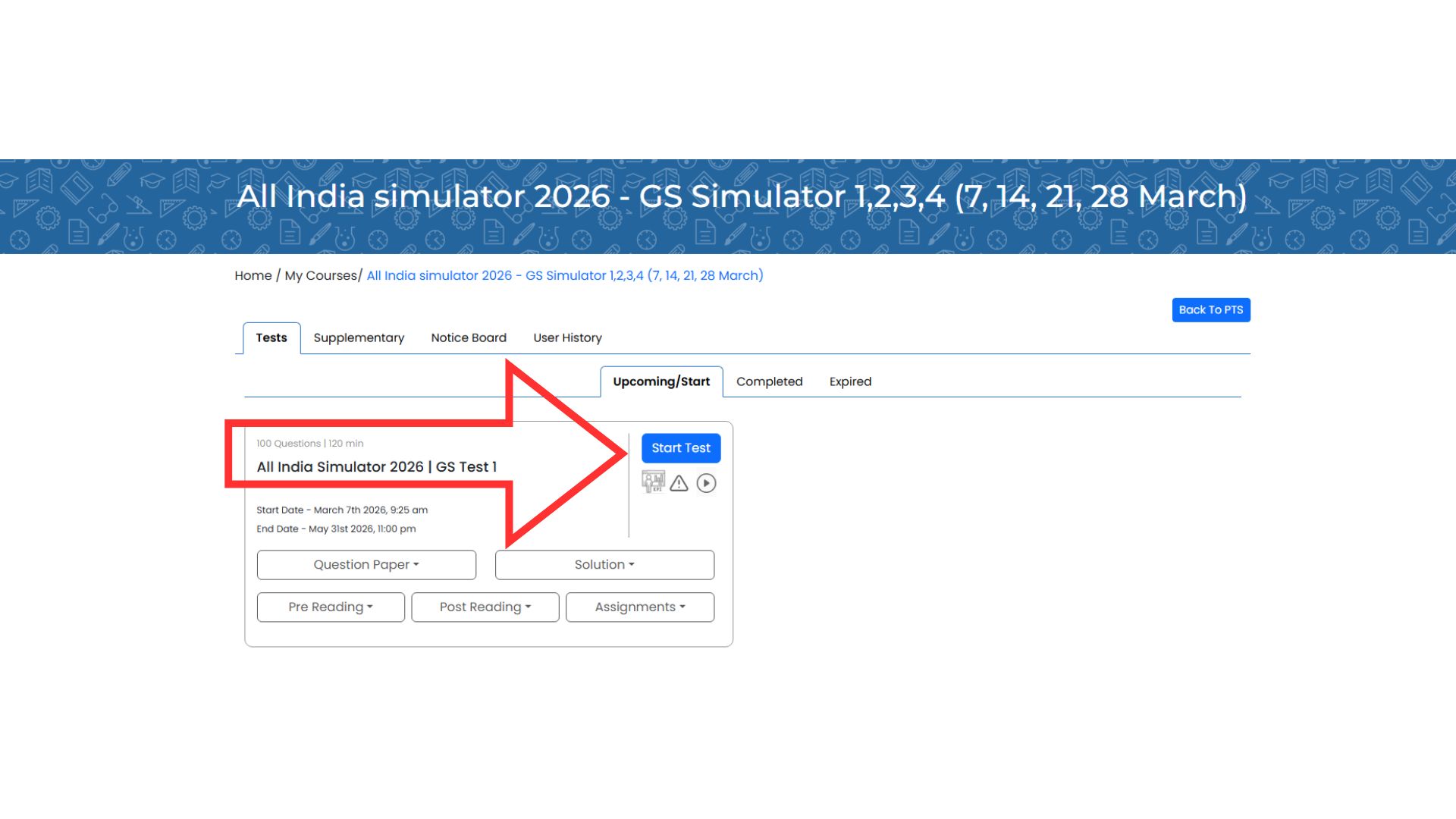
Once the test becomes active:
- The UPCOMING button will change
- A blue button labeled “START TEST” will appear
Click START TEST to begin the exam.
Step 9: Select Language and Begin
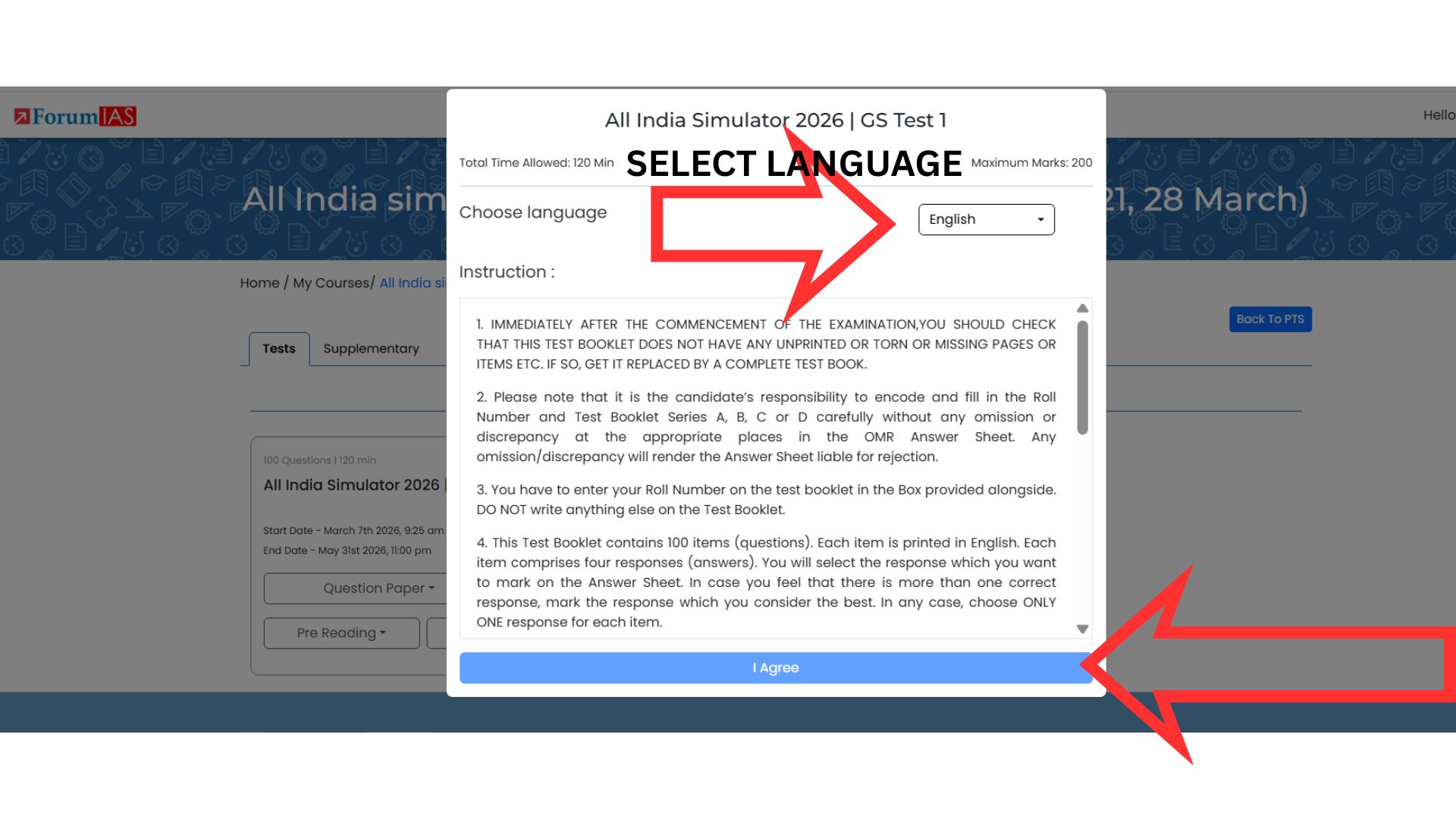
After clicking Start Test:
-
Select the language in which you want to attempt the test.
-
Click “I Agree” to accept the instructions.
Your test will now begin.
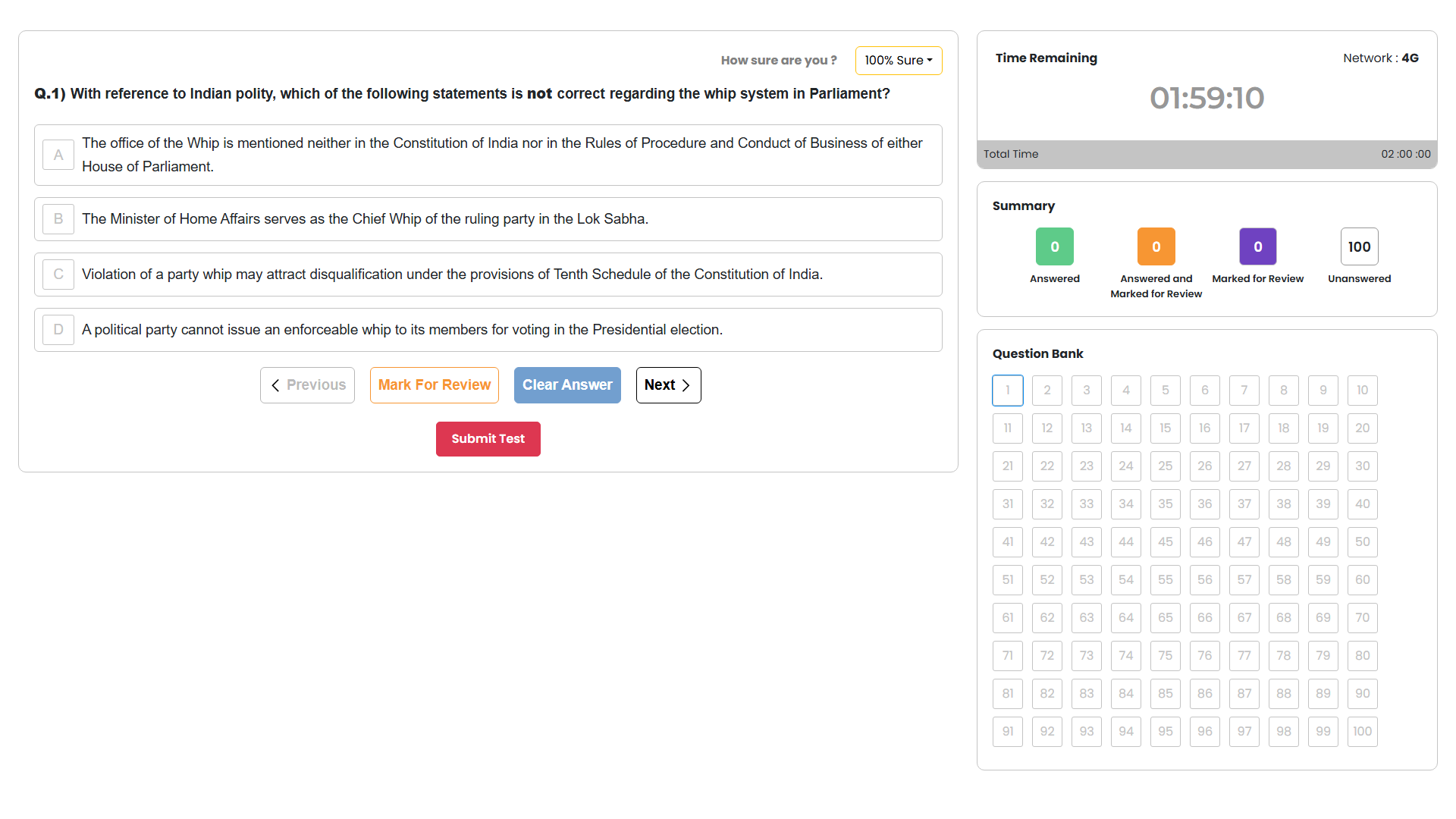
Step 10: Test Interface Overview
Once the test starts, the interface will display various important elements including:
- Question panel
- Navigation options
- Timer
- Submit option
Please carefully review the instructions shown on the screen before attempting the questions.
After the Test
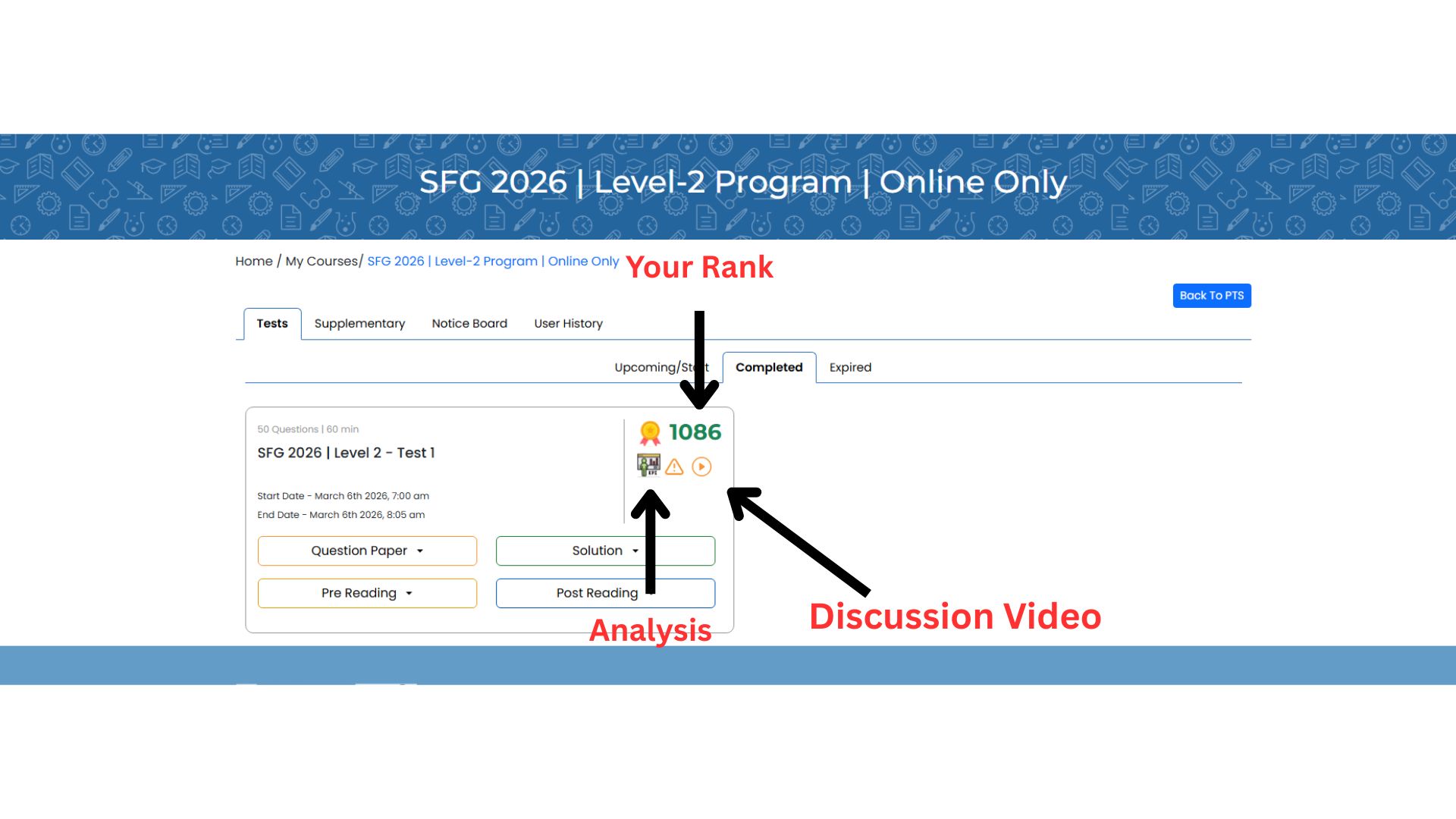
Once you complete the test, you will be able to access:
- Your Rank
- Detailed Performance Analysis
- Discussion Video
- Solutions
These features will help you understand your performance and improve your preparation.
Best of Luck!
We wish you the very best for your preparation and performance in the Prelims Test Series 2026. Stay consistent, analyze your tests carefully, and keep improving.