Dear Students,
Many students receive regular email notifications from the ForumIAS blog regarding daily initiatives such as the Prelims Marathon, important updates, articles, and other study resources. While these updates are useful for many aspirants, some students may prefer not to receive these notifications in their inbox.
If you wish to stop receiving these emails, you can easily unsubscribe by following a simple process. The option to unsubscribe is already available in the email itself, and you can manage it on your own without contacting the support team.
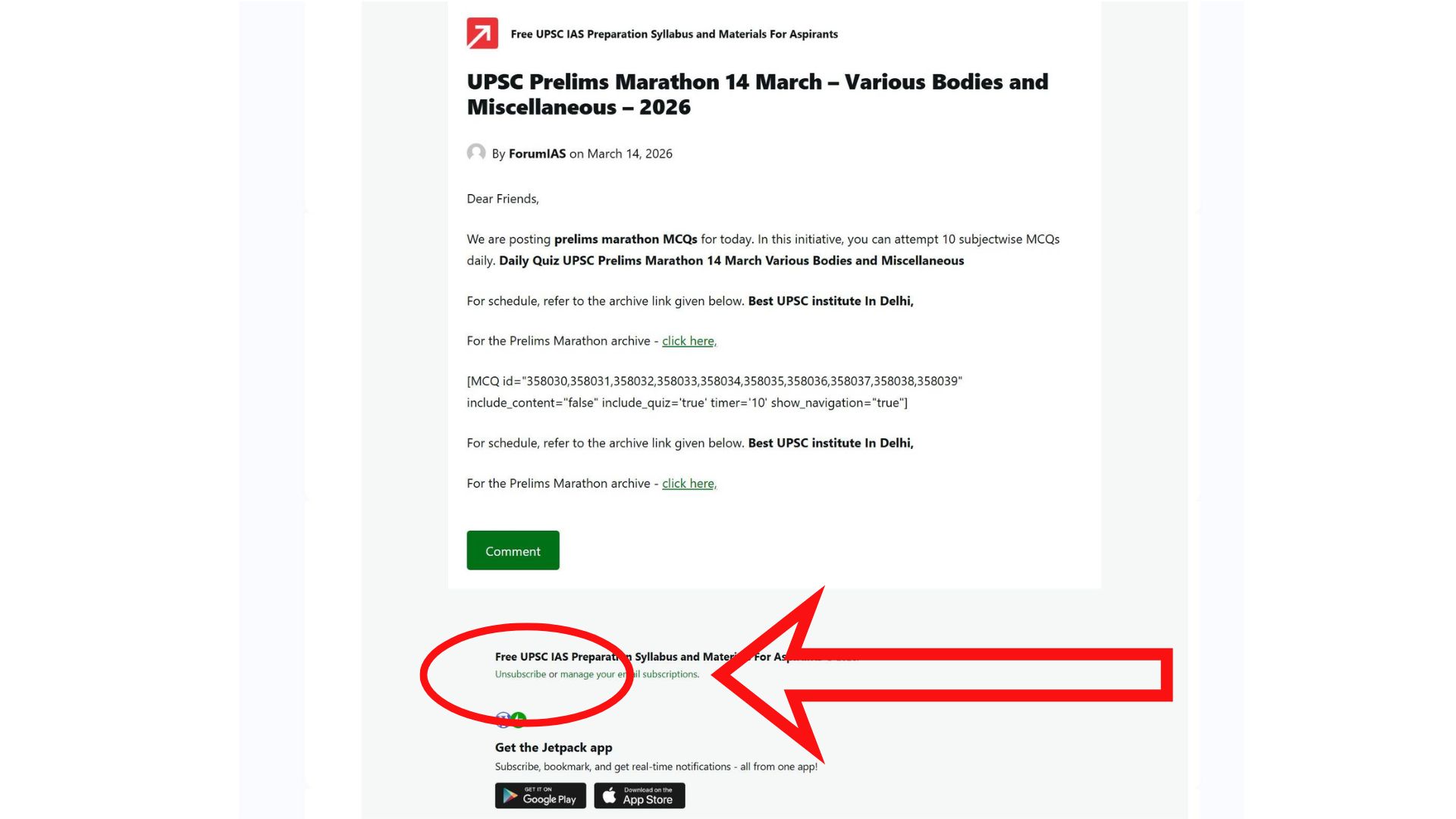
Where to Find the Unsubscribe Option
Whenever you receive a blog email from ForumIAS, you will find an option at the bottom of the email. At the end of the message, there is a small line that provides subscription management options.
You will typically see a message that reads:
“Unsubscribe or manage your email subscriptions.”
This option is usually located in the footer section of the email, below the main content of the blog post.
Steps to Unsubscribe from ForumIAS Blog Emails
-
Open the email that you have received from the ForumIAS blog.
-
Scroll down to the bottom of the email.
-
Look for the line that says “Unsubscribe or manage your email subscriptions.”
-
Click on the Unsubscribe link provided there.
-
Once you click the link, you will be redirected to a page where you can confirm your request.
-
Confirm the unsubscribe option to stop receiving future blog notifications.
After completing these steps, your email ID will be removed from the subscription list, and you will no longer receive blog updates from ForumIAS.