To log in to your ForumIAS account:
Step 1:Go to the official ForumIAS Academy website:
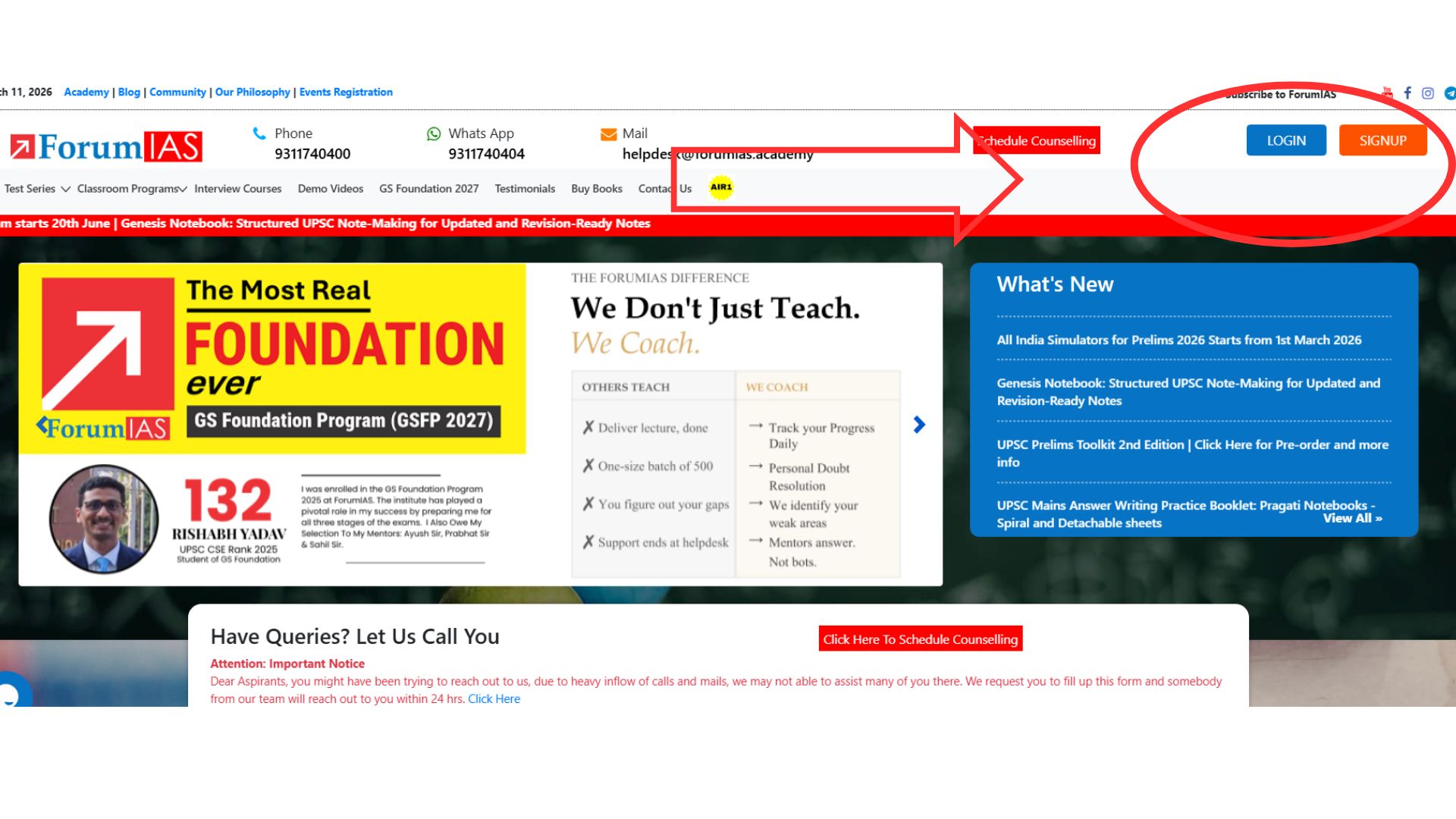
Step 2: Click on the Login Button
On the top-right corner of the webpage, click on the Login button to access your account.
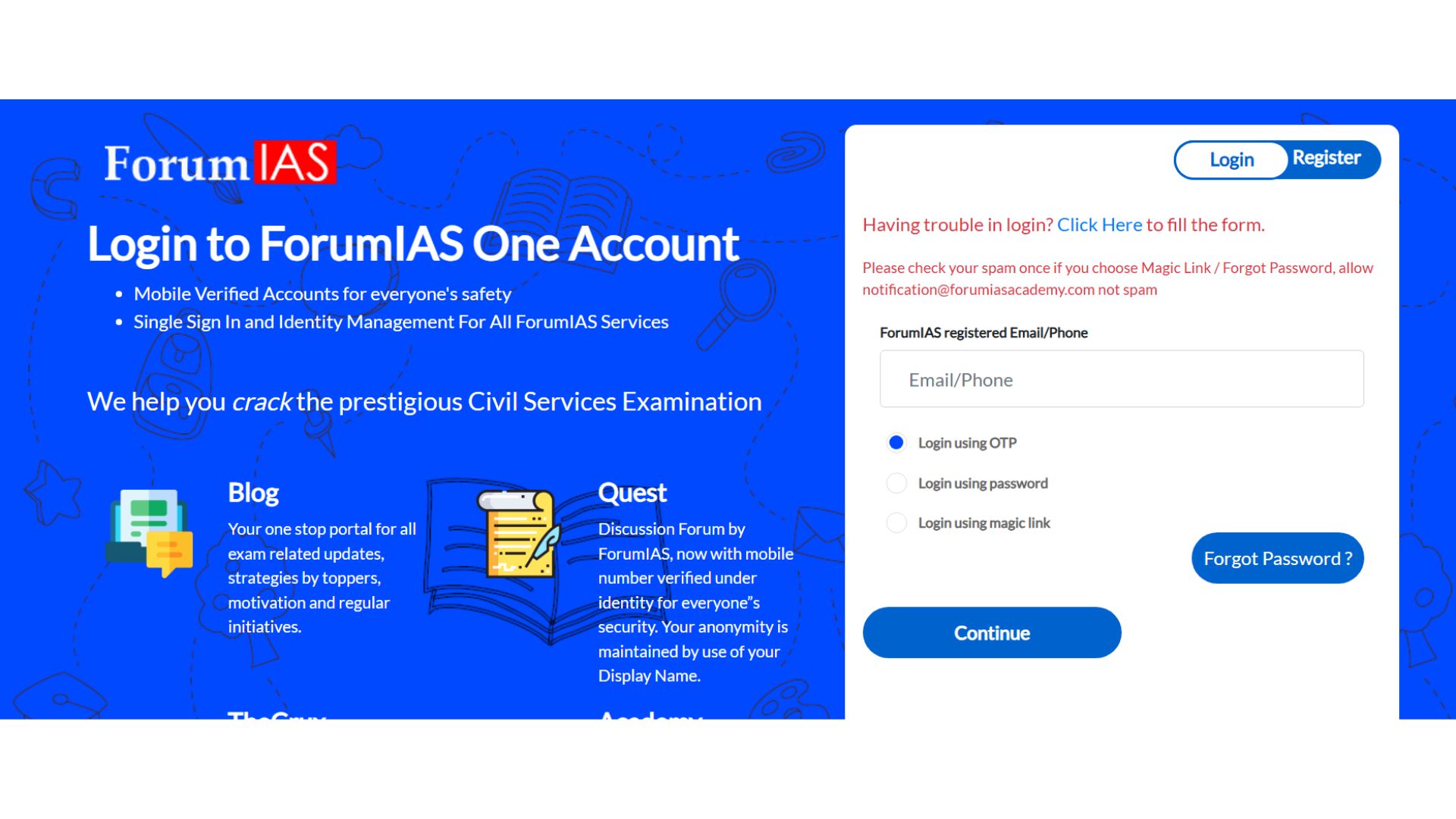
Step 3: Login to Your Account
Enter your valid credentials to log in to the ForumIAS Academy portal.
You can log in using any of the following methods:
- Enter your password
- Generate OTP and enter it
- Use the Magic Link sent to your email
Once the credentials are verified, you will successfully log in to your account.
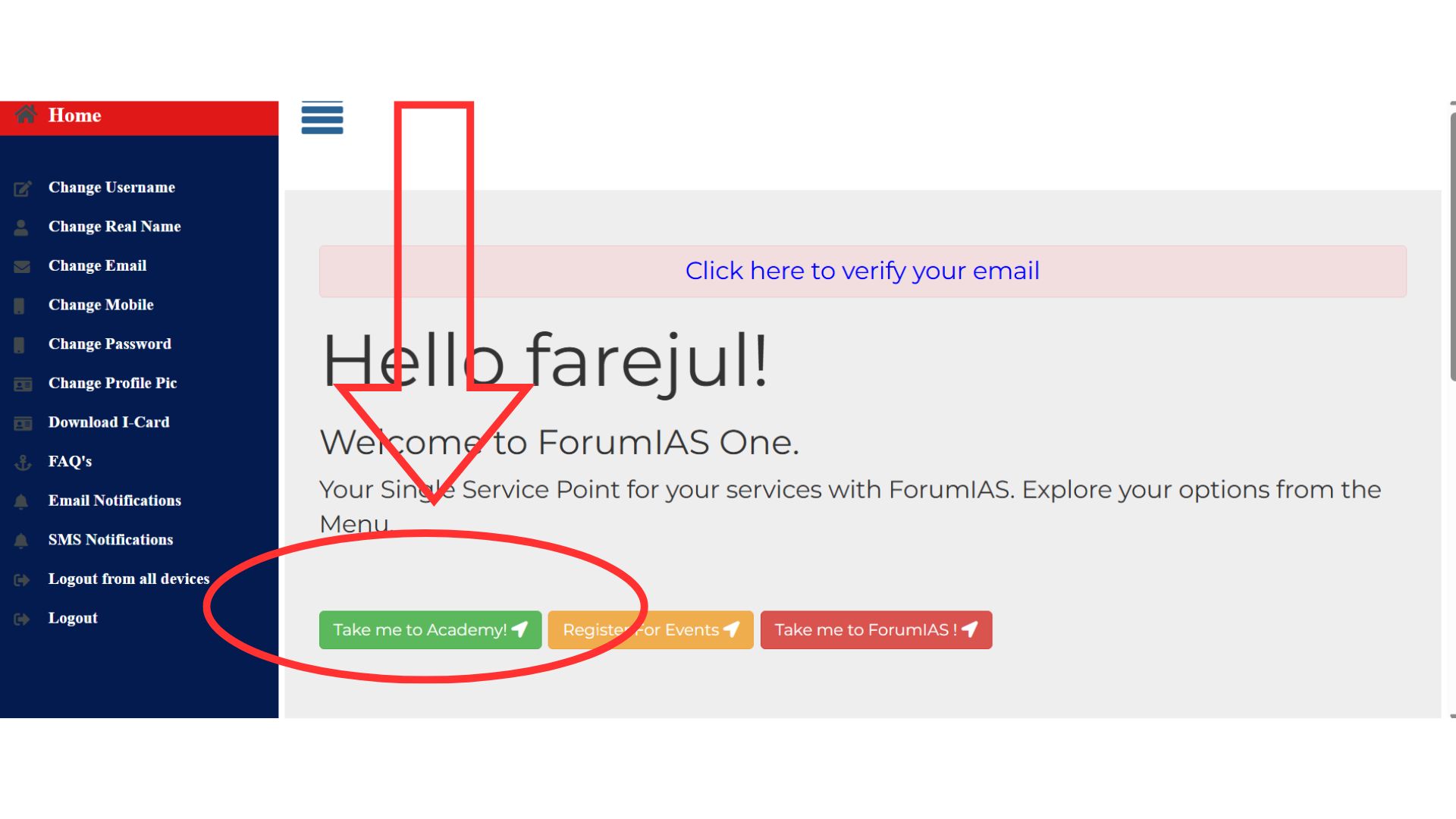
Step 4: Click on “Take Me to Academy”
After logging in, you will be redirected to the dashboard.
Click on “Take Me to Academy” to proceed to the course interface.
If you forgot your password:
- Click on “Forgot Password” on the login page.
- Enter your registered email/mobile number.
- Follow the OTP or reset link instructions.
For any technical issues or account-related queries, you can reach out to the ForumIAS Helpdesk: Email: helpdesk@forumias.academy.