For UPSC aspirants, consistent performance evaluation is as important as test-taking itself. The ForumIAS Prelims Test Series provides a detailed Question-Based Analysis feature that helps you identify strengths, weaknesses, and accuracy trends at a granular level. Here’s a step-by-step guide to access it effectively.
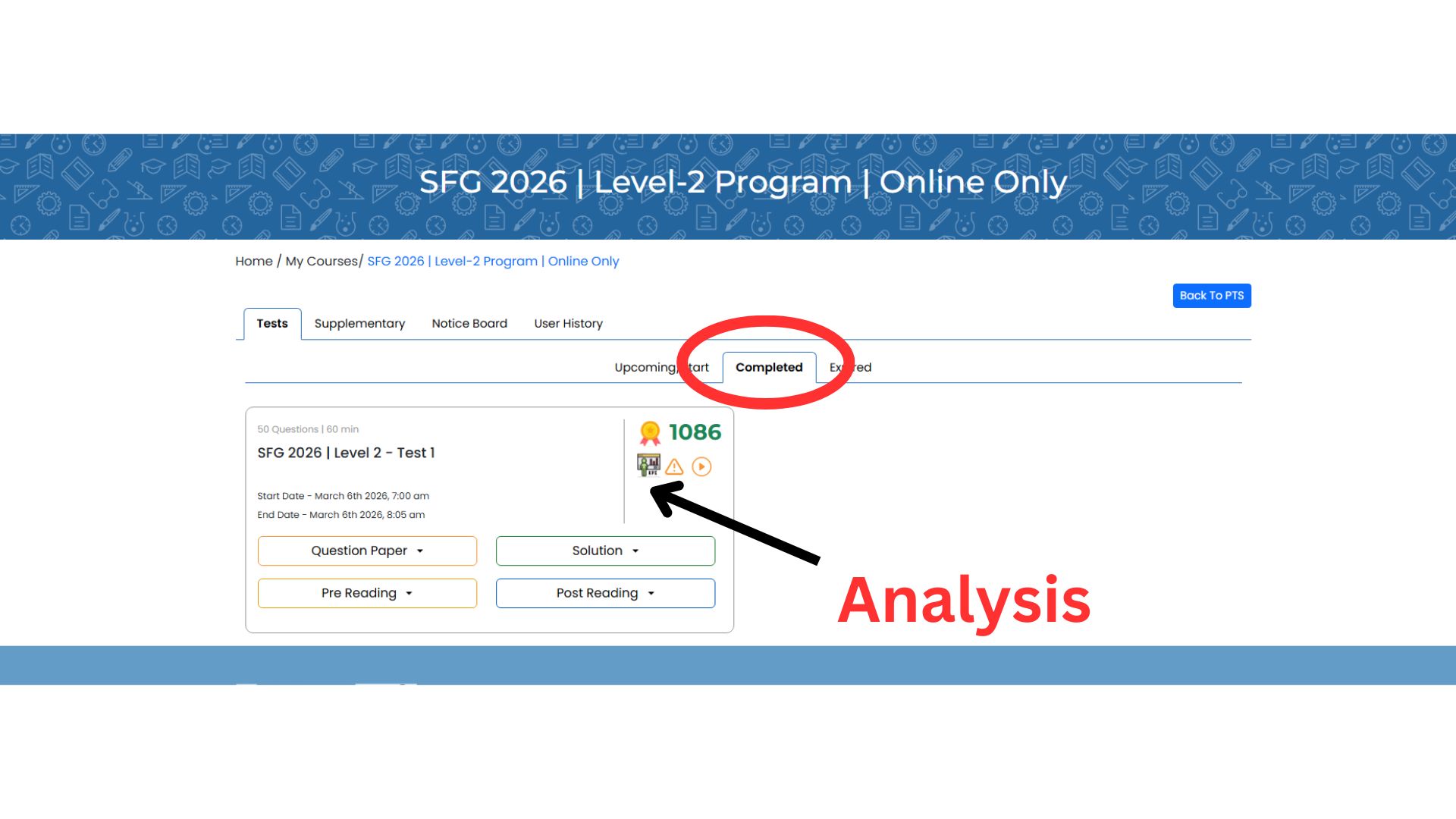
First, log in to your ForumIAS account using your registered credentials (“How to Log in to your account?”). Once logged in, navigate to your enrolled course dashboard. Under the “Tests” section, you will find multiple tabs such as Upcoming/Start, Completed, and Expired. Click on the “Completed” tab to view the tests you have already attempted.
Next, locate the specific test for which you want to review your performance. Alongside the test details, you will see a KPI (Key Performance Indicator) or analysis icon. Click on this icon to open the detailed analytics page for that test.
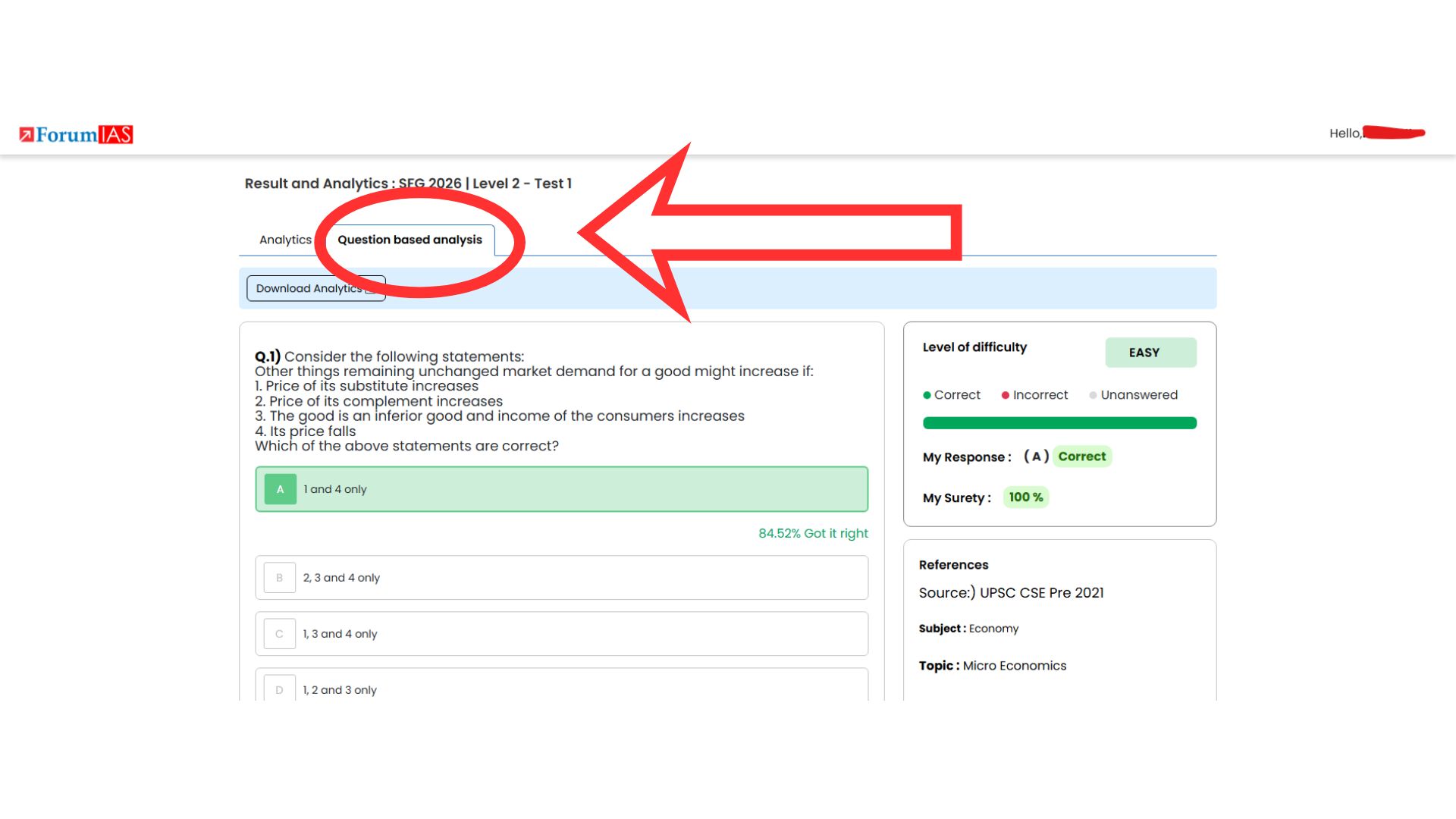
Once inside the analytics section, you will find multiple tabs such as Analytics and “Question-Based Analysis.” Click on the Question-Based Analysis tab. This section provides a comprehensive breakdown of each question, including correctness, difficulty level, your response, accuracy rate among peers, and conceptual insights.
Using this feature strategically allows you to refine your preparation by identifying recurring mistakes, improving decision-making, and strengthening conceptual clarity—key factors for success in the UPSC Prelims examination.